Futbalr App
Mobile App · Product Design · 2025
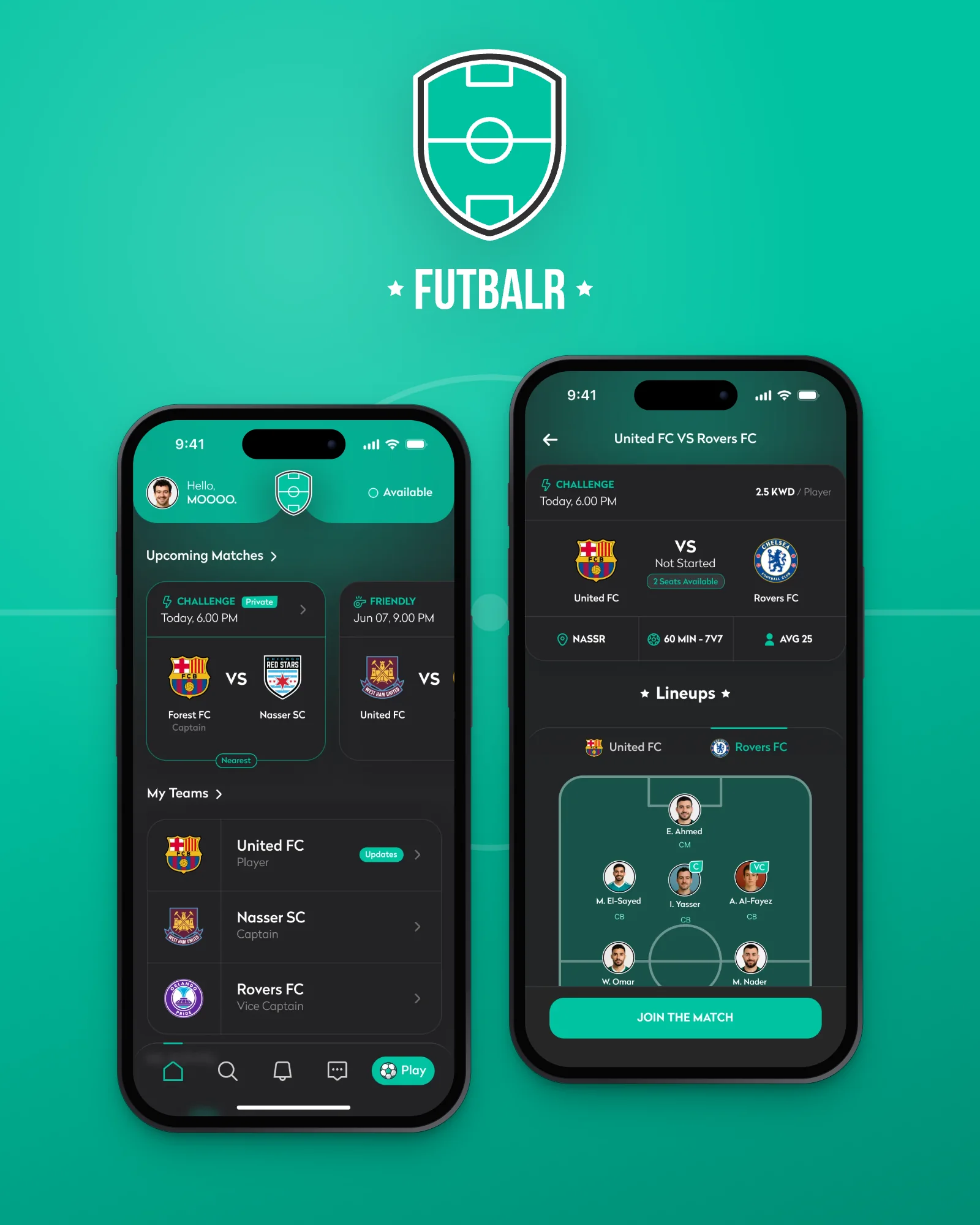
Futbalr is a mobile app for grassroots football: build a team, discover and create matches, set lineups and record agreed results, the weekly five-a-side, organised without the group-chat chaos.
Grassroots football, organised. Build a team, fill a match, set the lineup and settle the score, without the group-chat chaos.

Overview
Futbalr gives the weekly five-a-side the tools a real club takes for granted: a squad, fixtures, a lineup, a player card and a record of every result.
It is a mobile app for amateur football in Kuwait, designed end to end, from the first walkthrough card to the final whistle, for iOS and Android.
Every key screen exists in versions for three roles: the captain who organises, the team member who plays, and the player who has no team yet. This case study follows them through the product.
Client
Futbalr
Role
Product Designer
Platform
iOS & Android
Scope
End-to-end UX & UI
Deliverables
15 flows · 292 screens
Tools
Figma
In this case study
Football is easy. Organising it isn’t.
The problem
Three jobs fall between the cracks of a group chat. Each one became a part of the product.
01 · Organising
Who is in, who pays and who plays where live in a thread that scrolls away. The captain carries all of it. → Teams, match creation and lineups.
02 · Finding a game
A player who moves city or loses a squad has no way in. Open seats exist, but nobody can see them. → Discover, search and join requests.
03 · Keeping score
Results are argued about and then forgotten, so nobody has a record. → An agreed score that builds each player’s stats.
Who’s in? Who’s paying? What was the score?
Run the weekly game like a club.
The goal
Futbalr is for the people who make amateur football happen: captains who organise it, players who turn up, and players still looking for a team. Success means a match is organised, filled and put on record without leaving the app.
Organise in minutes
A captain creates a match, invites the squad and sets the lineup without chasing replies in a chat.
A way in for everyone
A player with no team can see open matches and teams nearby, and ask to join.
Results that count
Scores both sides agree on build a record and stats every player can trust.
The right controls for each role
Captains, members and players without a team share one product, each with the powers that fit them.
One app, three roles.
Who it’s for
Play & Discover is designed for each role, side by side. Same screens, different powers. Select a role to see what changes.
Captain & vice-captain
Runs the team: creates matches, sets the lineup and puts the result on record.
- Create match (+)
- Update / edit the score
- Assign vice-captain
- Approve join requests
Team member
Plays for one or more teams; sees the team’s fixtures and confirms attendance in a tap.
- Confirm you’re in
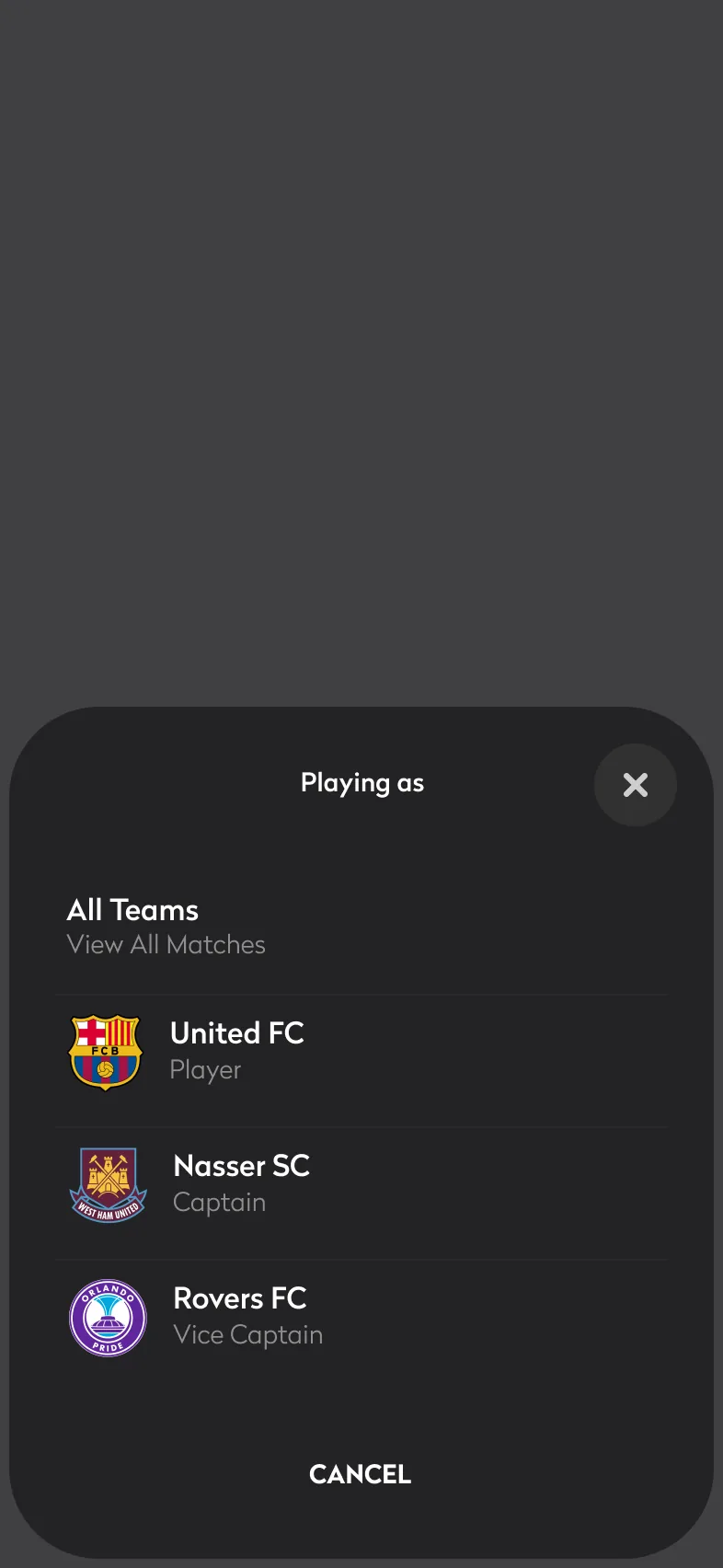
- Switch team with “Playing as”
- Team chat
Player without a team
Discovers public matches with open seats, joins them, and finds a team to belong to.
- Public matches only
- Join the match
- Request to join a team

From stranger to squad.
The journey
The hardest path through Futbalr belongs to a player with no team, no friends on the app and no record. Step through it. Each stage happens on the screen beside it.
Arrive
Understand what the app is for and get in quickly.
Another sign-up form before seeing any value.
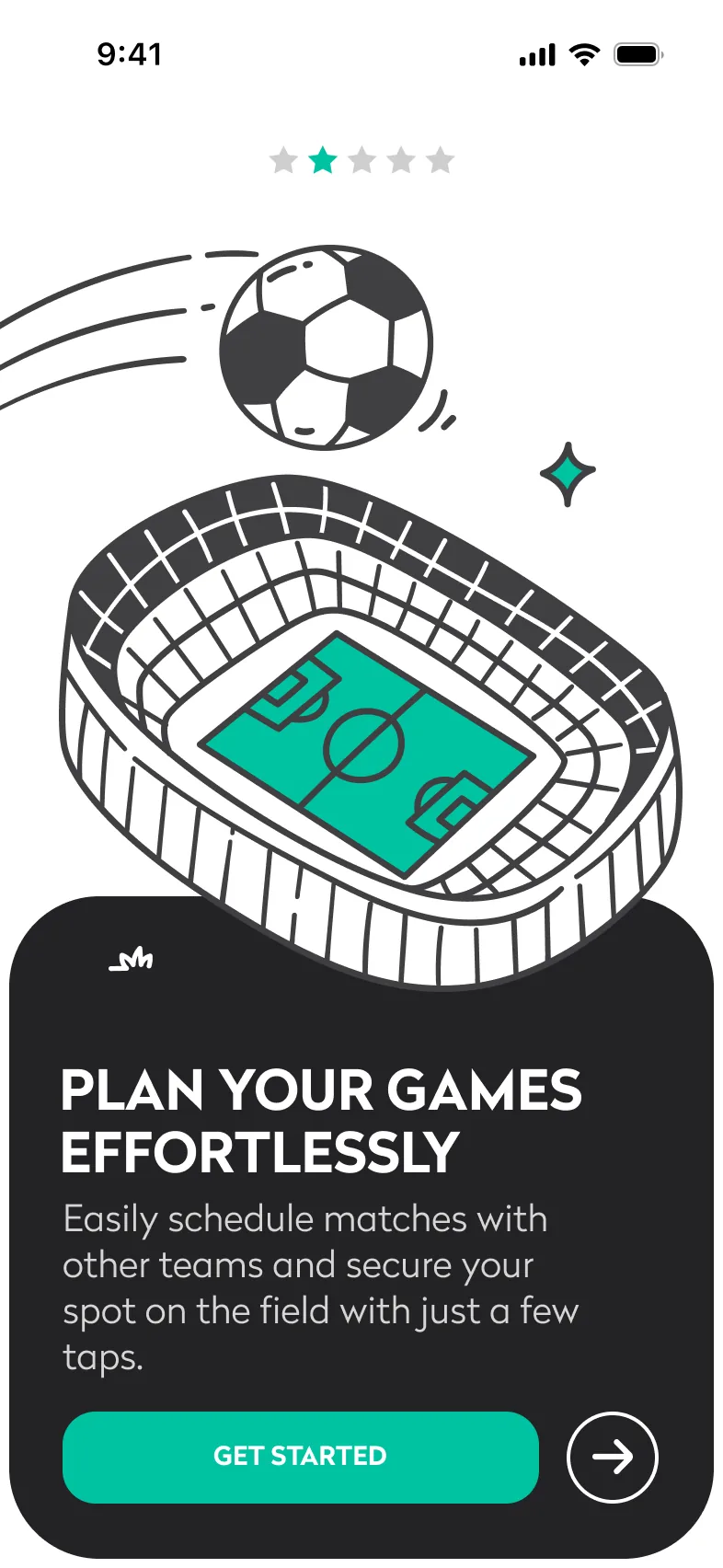
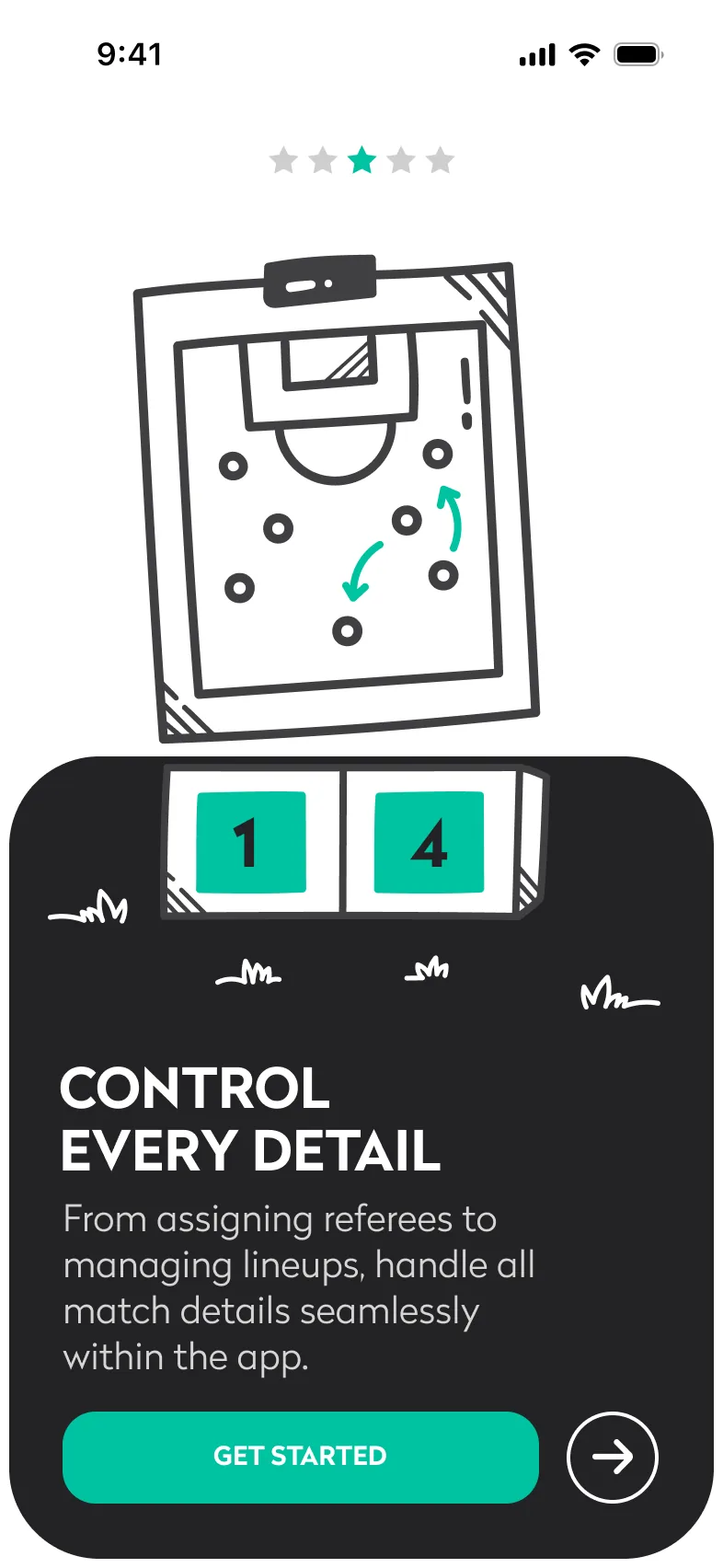
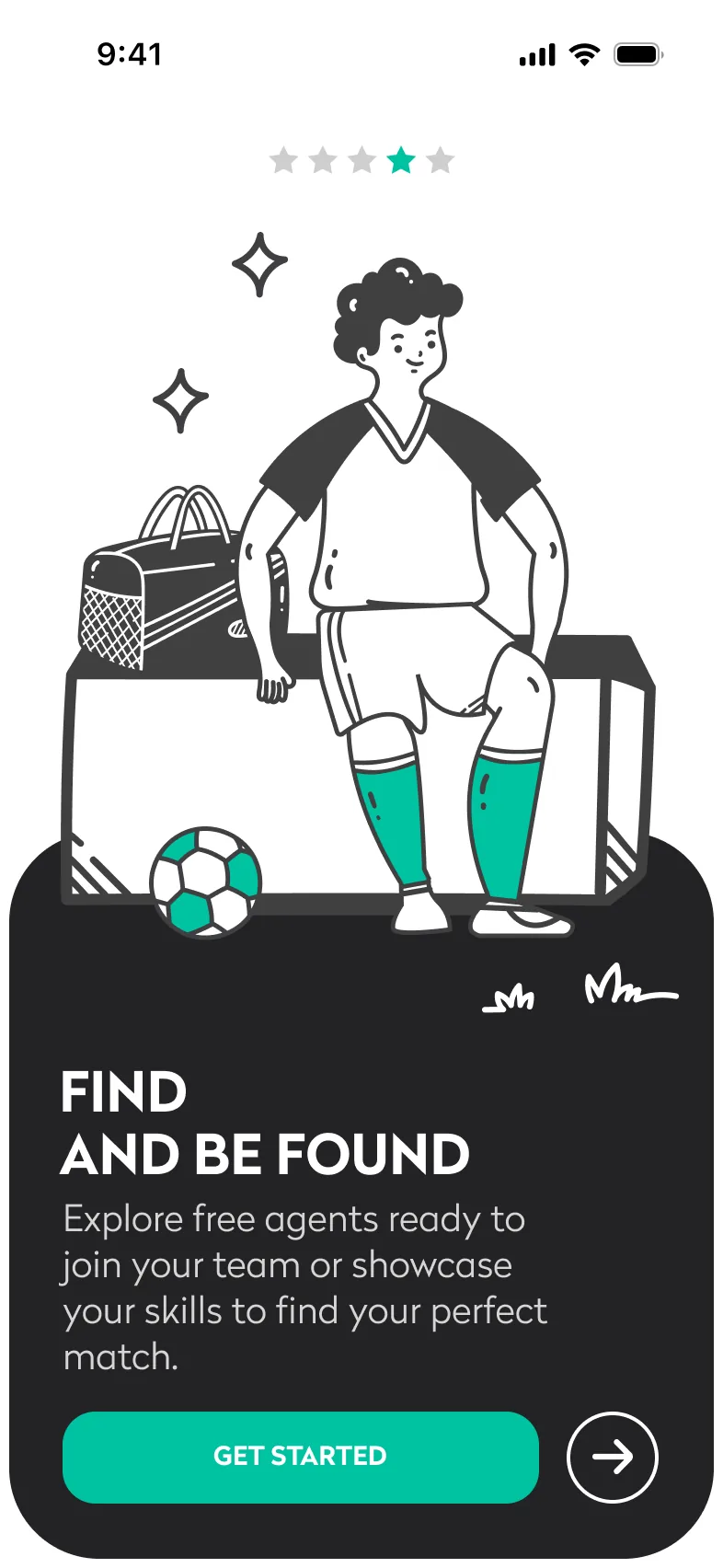
Five illustrated walkthrough cards explain the product in one line each, then a single decision: sign up or sign in, with Apple and Google as shortcuts.
Set up
Create a profile that represents how they play.
Personal details feel like paperwork when they’re a list of fields.
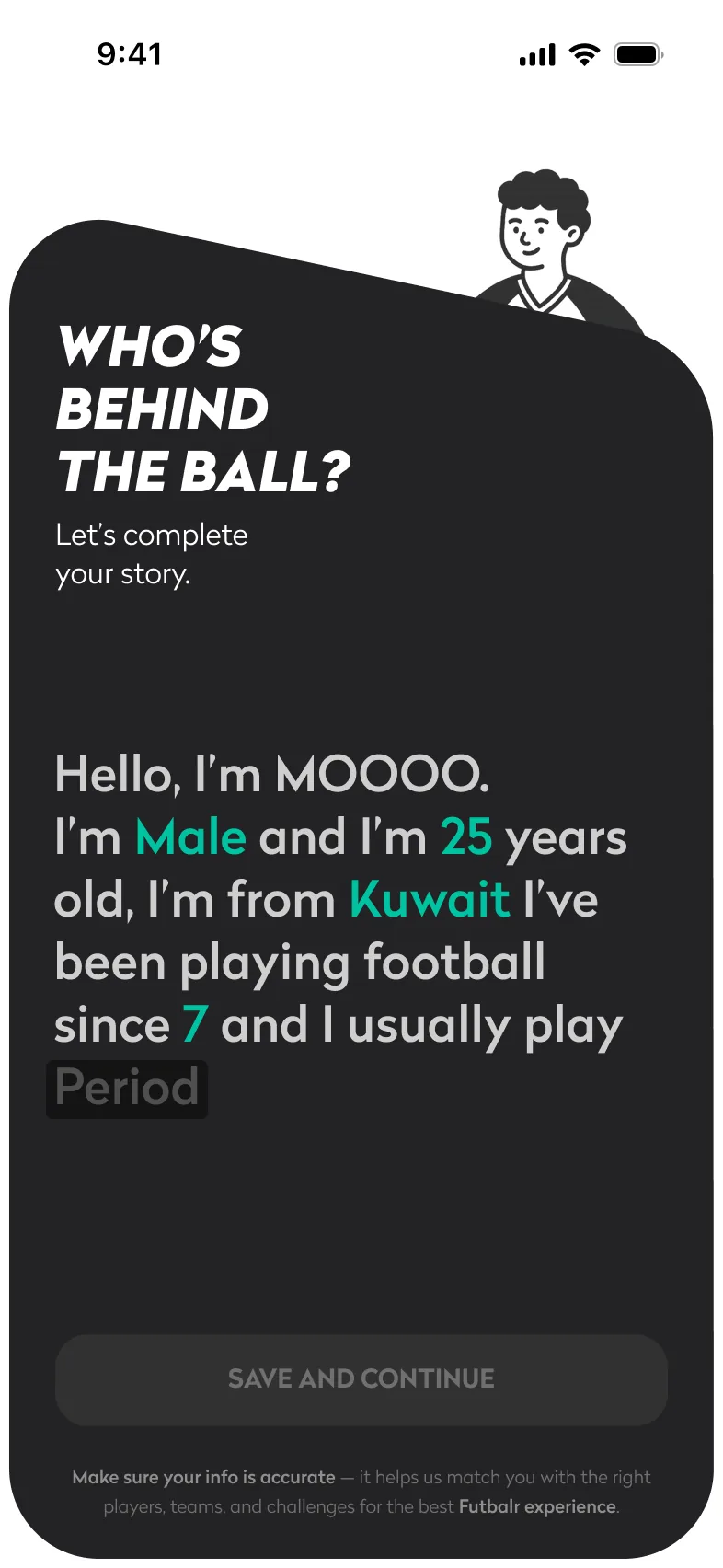
The basics become one sentence to complete: “Hello, I’m MOOOO. I’m 25 years old, from Kuwait…”, followed by ten short questions with a visible count.
Get placed
Know where they fit and who to play with.
No team, no connections and no reputation to start from.
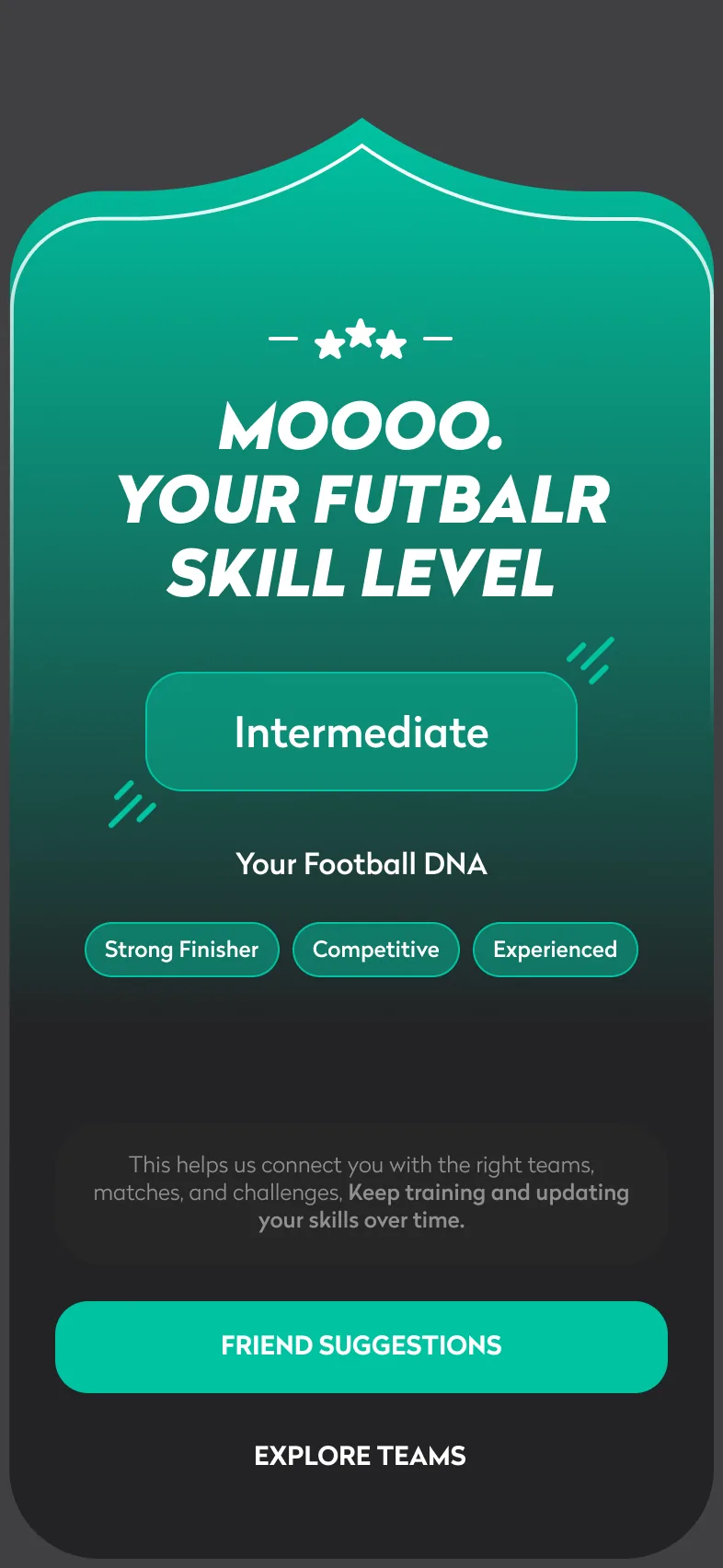
The survey returns a skill level and Football DNA tags, then suggests players of a similar age and level to connect with.
Find a game
Find a match with space, nearby, at a fair price.
Not knowing seats, cost or distance until they ask someone.
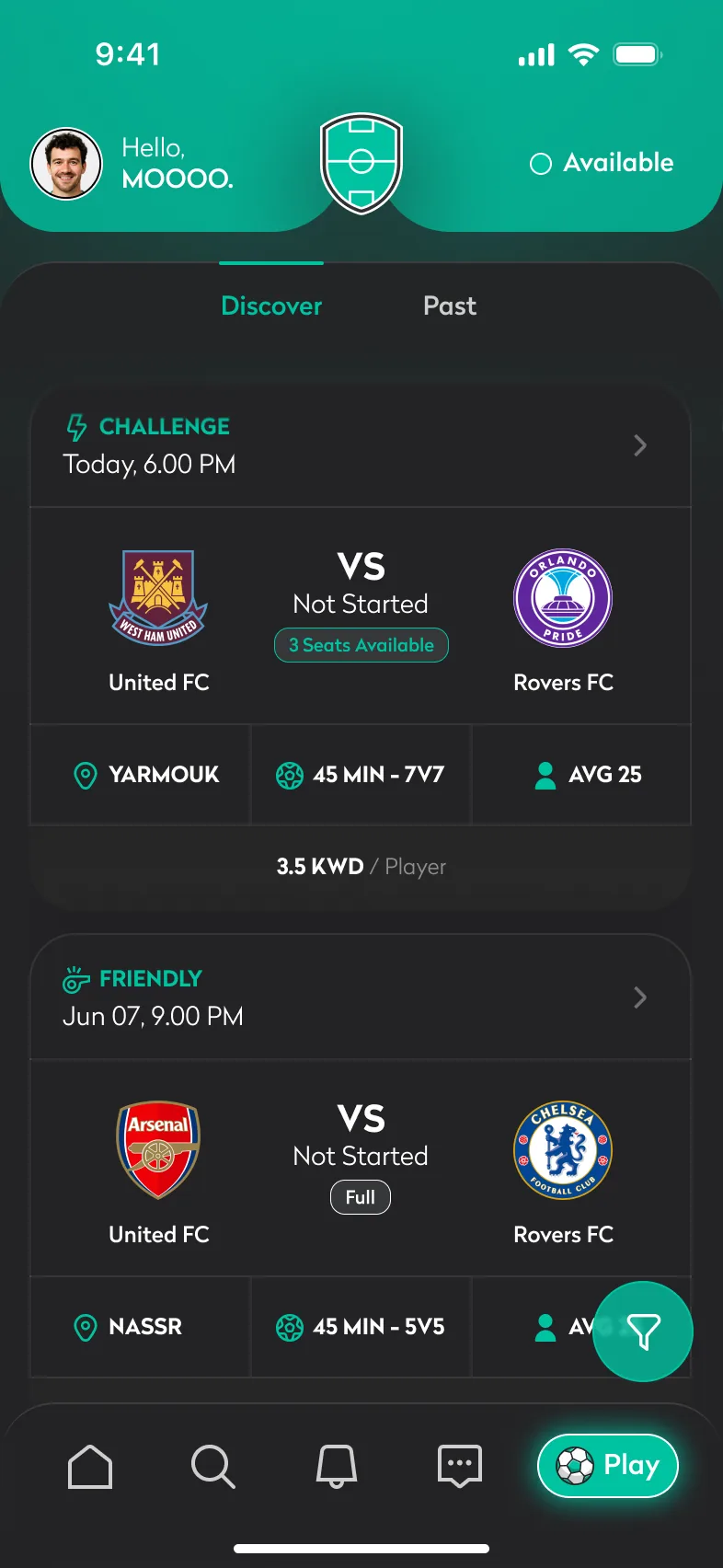
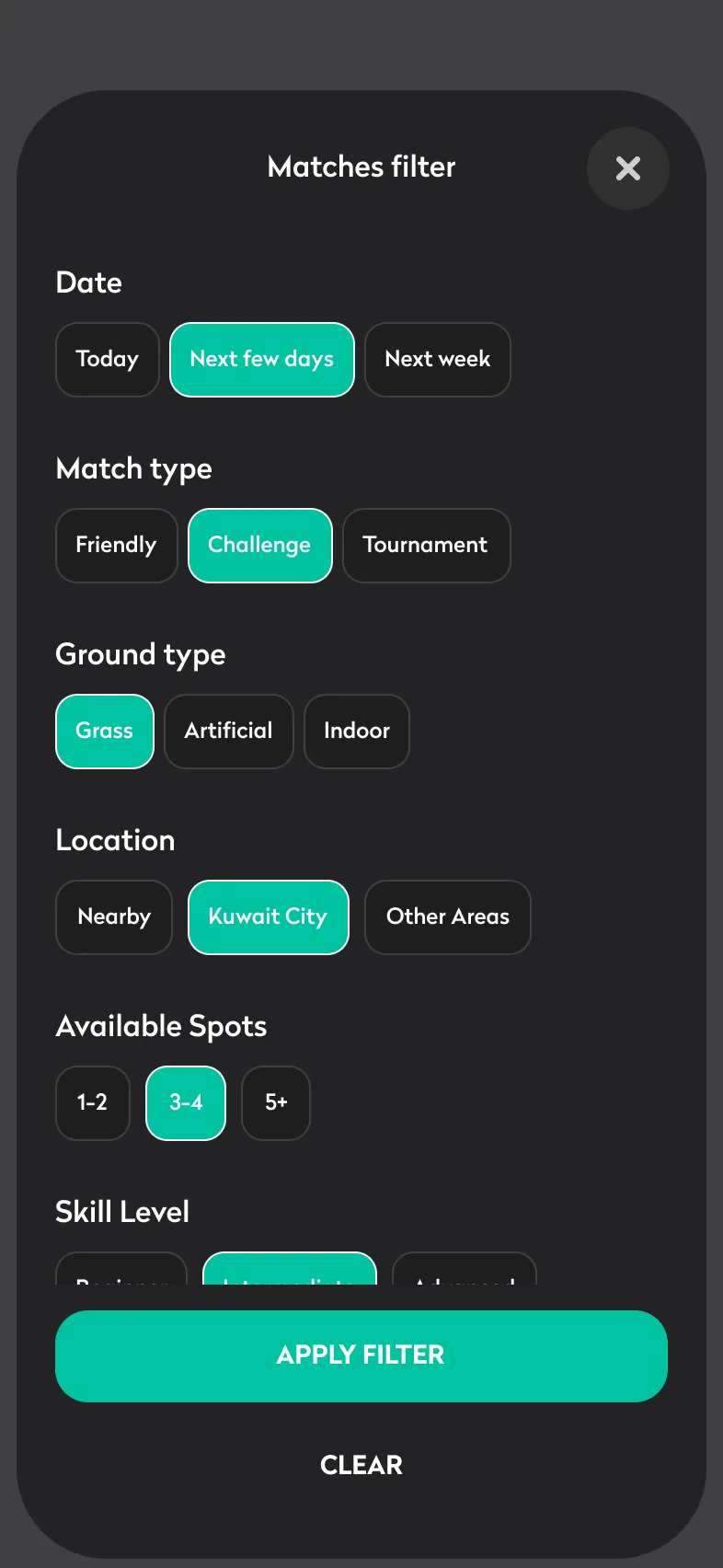
Discover shows only public matches, each with seats left, venue, format, level and the cost per player, and a filter for date, type and ground.
Play
Commit to the match and turn up prepared.
Uncertainty about where, when and with whom.
Match details puts kick-off, venue (opening in Maps), both lineups and one primary action together: Join the match.
Belong
Turn one good game into a regular squad.
Teams are closed circles from the outside.
A team’s profile shows its players, matches and record to visitors, with a persistent “Want to join this team?” action.

Five tabs. Every match one tap away.
Information architecture
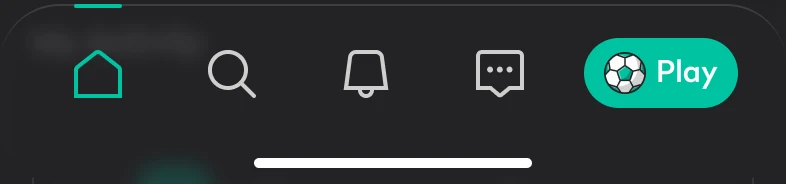
The tab bar puts Play, the reason the app exists, in a highlighted pill, while Home, Search, Notifications and Chat cover everything around it. Profile and Settings sit behind the avatar.
Home
Personal dashboard
Search
Find anything
Notifications
Actions, not alerts
Chat
Conversations
Play
The core loop
Profile
Behind the avatar
A home that adapts.
Feature · Home
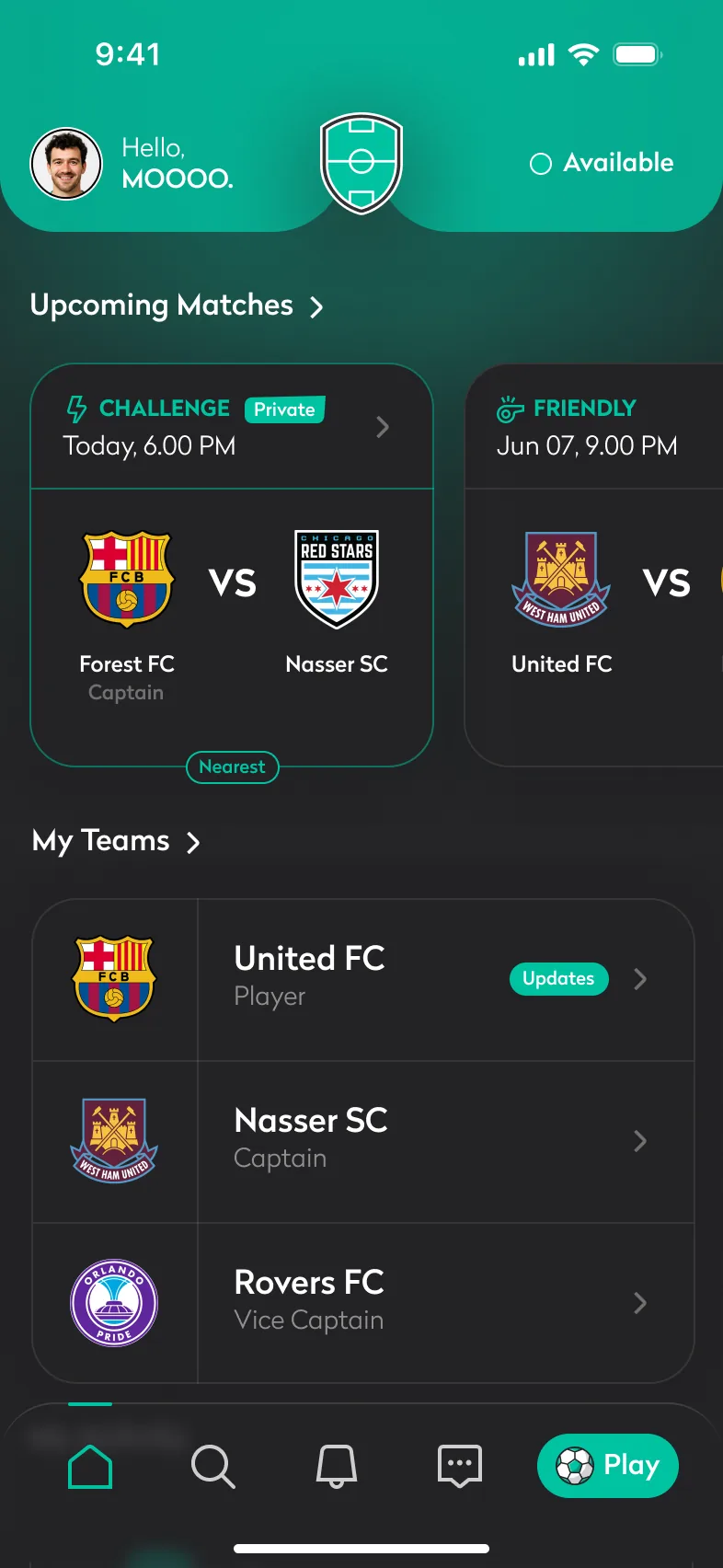
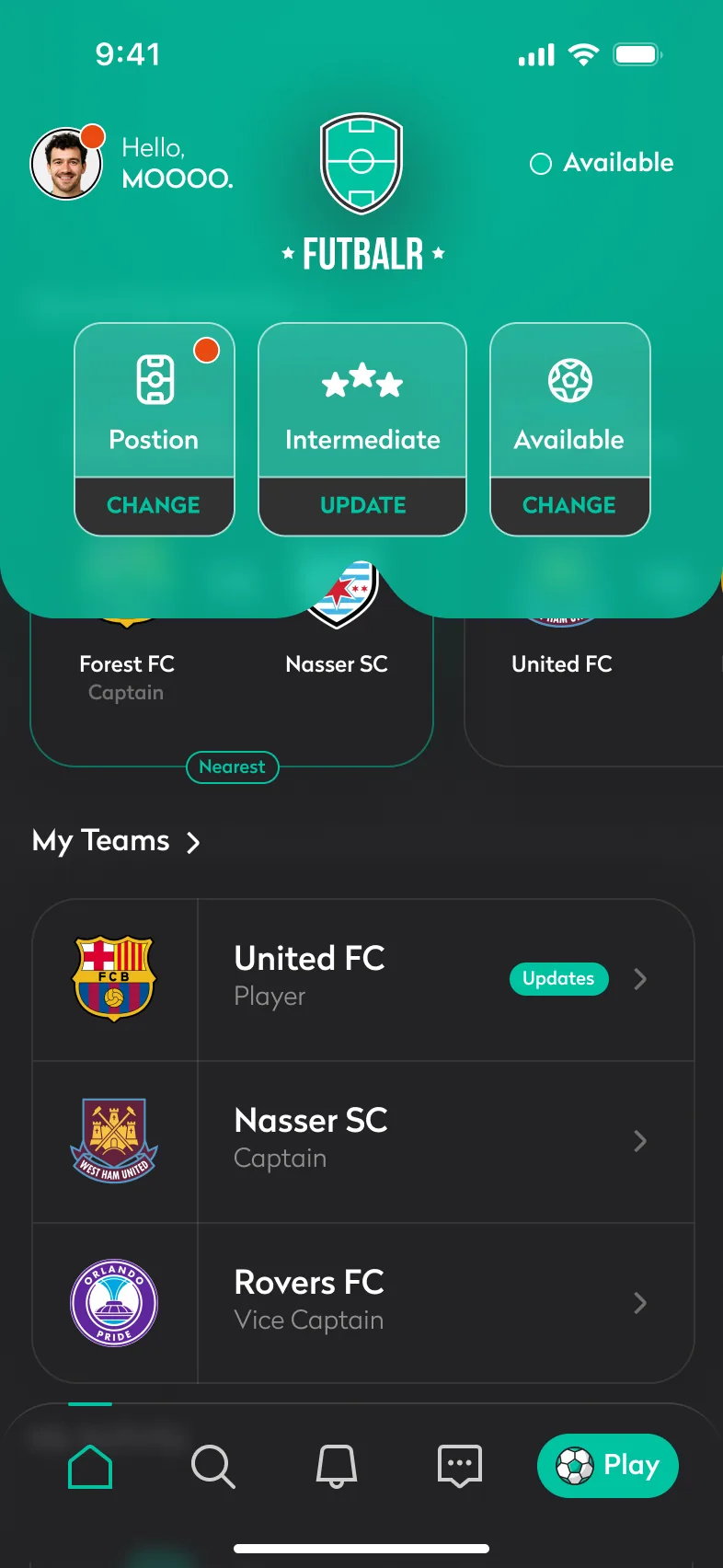
Home is designed for every situation a player can be in, not just the full, happy one.
Active player
Upcoming matches as a swipeable row, then every team with the player’s role in it.
One match
A single fixture fills the row instead of leaving a half-empty carousel.
Quick update
The header expands into position, skill level and availability, each a one-tap change.
Missing data
A red dot on the position shortcut and the avatar asks for the one detail lineups need.
New player
No matches and no team yet. Each empty state names its next step: Join a match, Explore teams, Create team.


Onboarding that feels like kick-off.
Feature · Onboarding
Getting a new player ready takes a walkthrough, an account, a profile and a skill level. Each step is designed to feel like part of the game, not a form.
Five-card walkthrough
Illustrated, one promise per card.
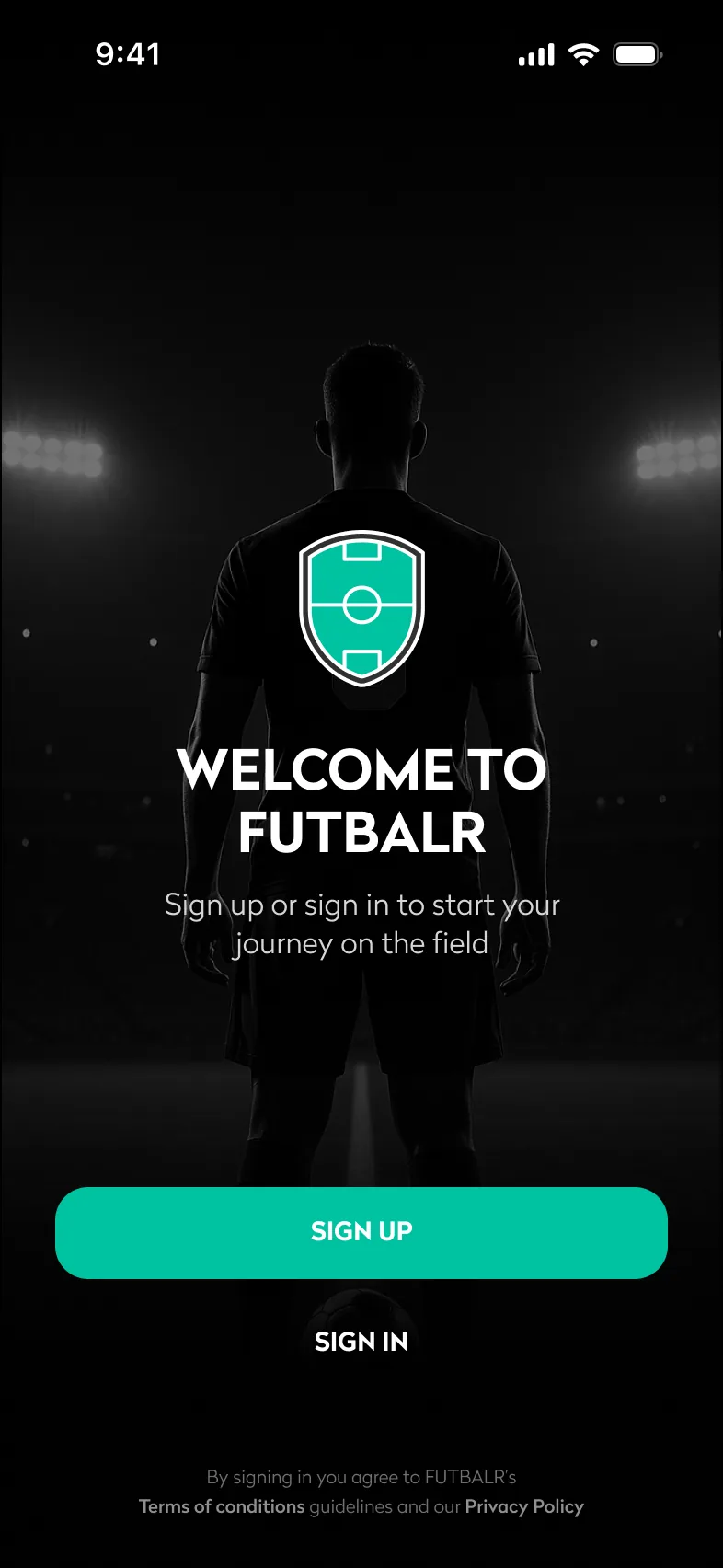
One clear choice
Sign up or sign in. Nothing else.
Profile as a sentence
Blanks to fill, not fields to complete.
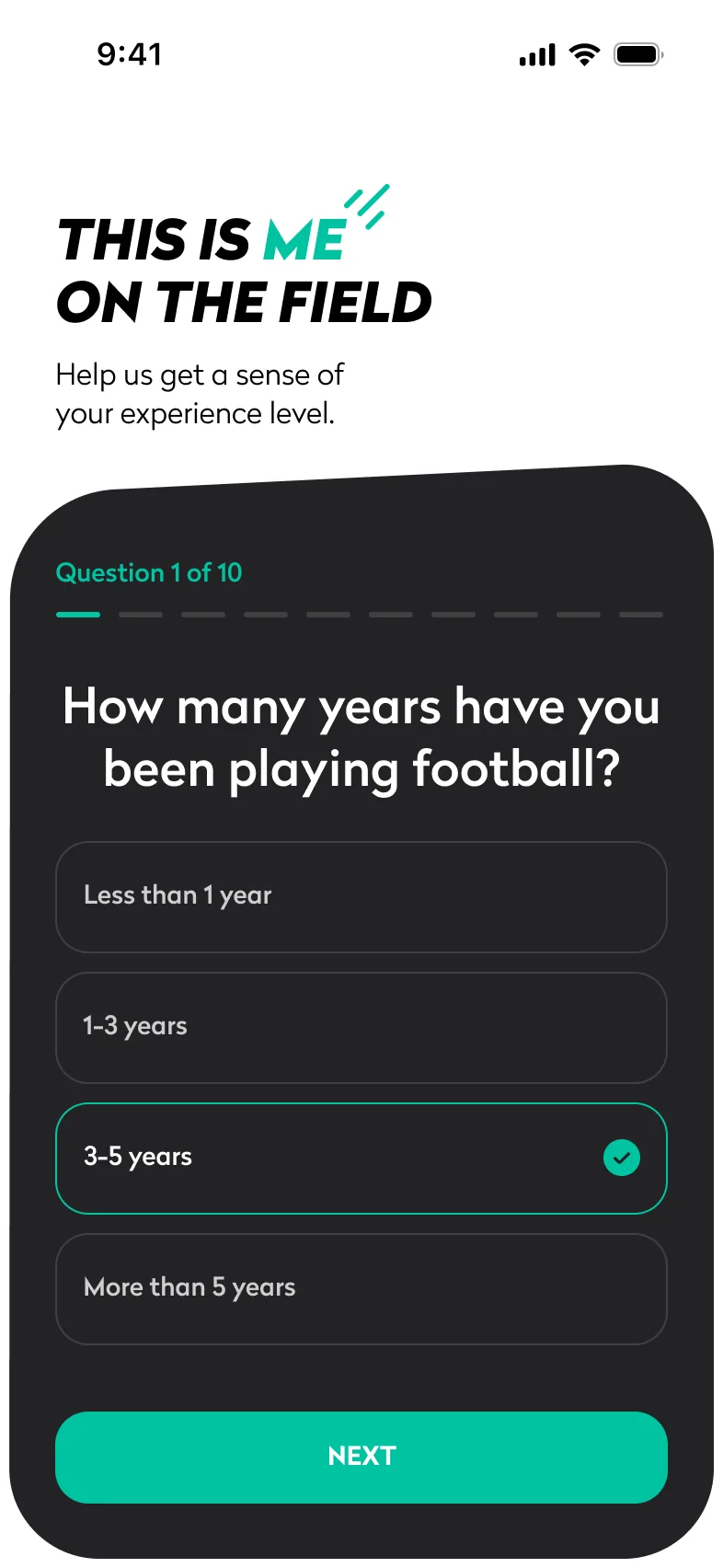
Ten quick questions
“This is me on the field”, with progress.
A level to share
Skill level and Football DNA tags.
Find the right game.
Feature · Discover
Discover answers the questions a player would otherwise ask in a chat, before they have to ask.
- Players without a team see public matches only
- Seats left, venue, format, level and price per player on every card
- Filters for date, match type, ground, location, spots and level
- Search for teams, players and matches, each with its own filter
Discover
Matches filter
Team search

Match day, handled.
Feature · Match day
Everything between “who’s in?” and “what was the score?” lives on the match itself.
Confirm you’re in
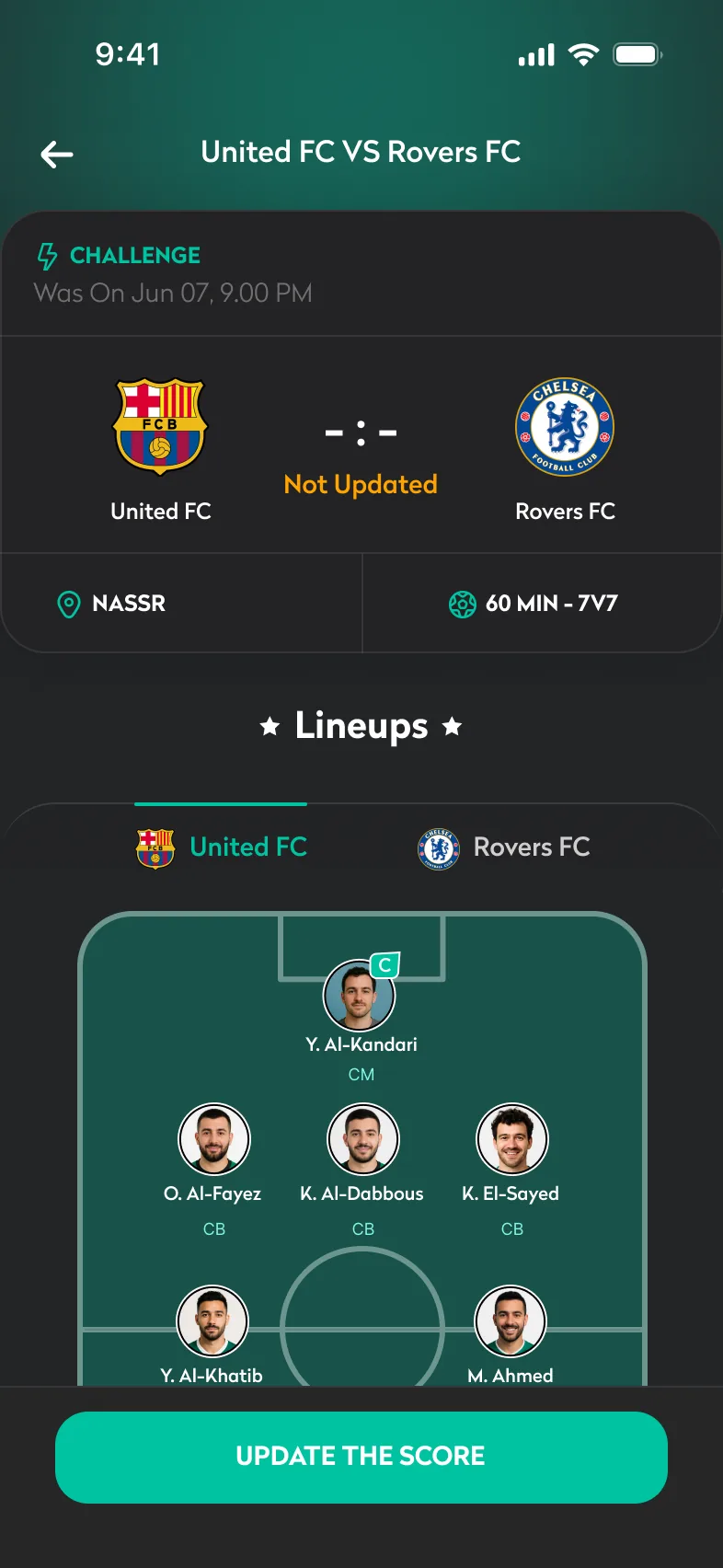
Kick-off, venue, cost and both lineups, with one primary action.
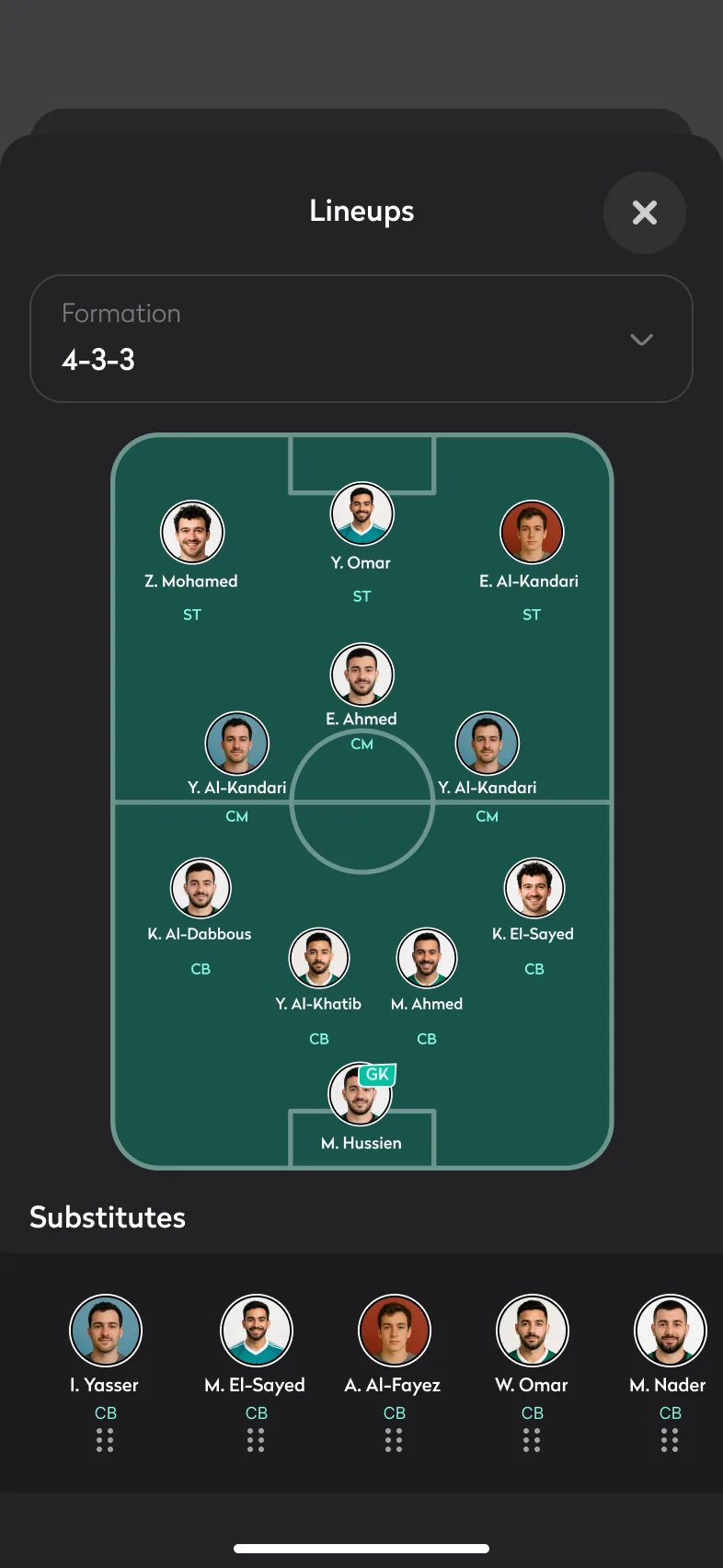
Lineup on a pitch
Players placed by position, substitutes below.
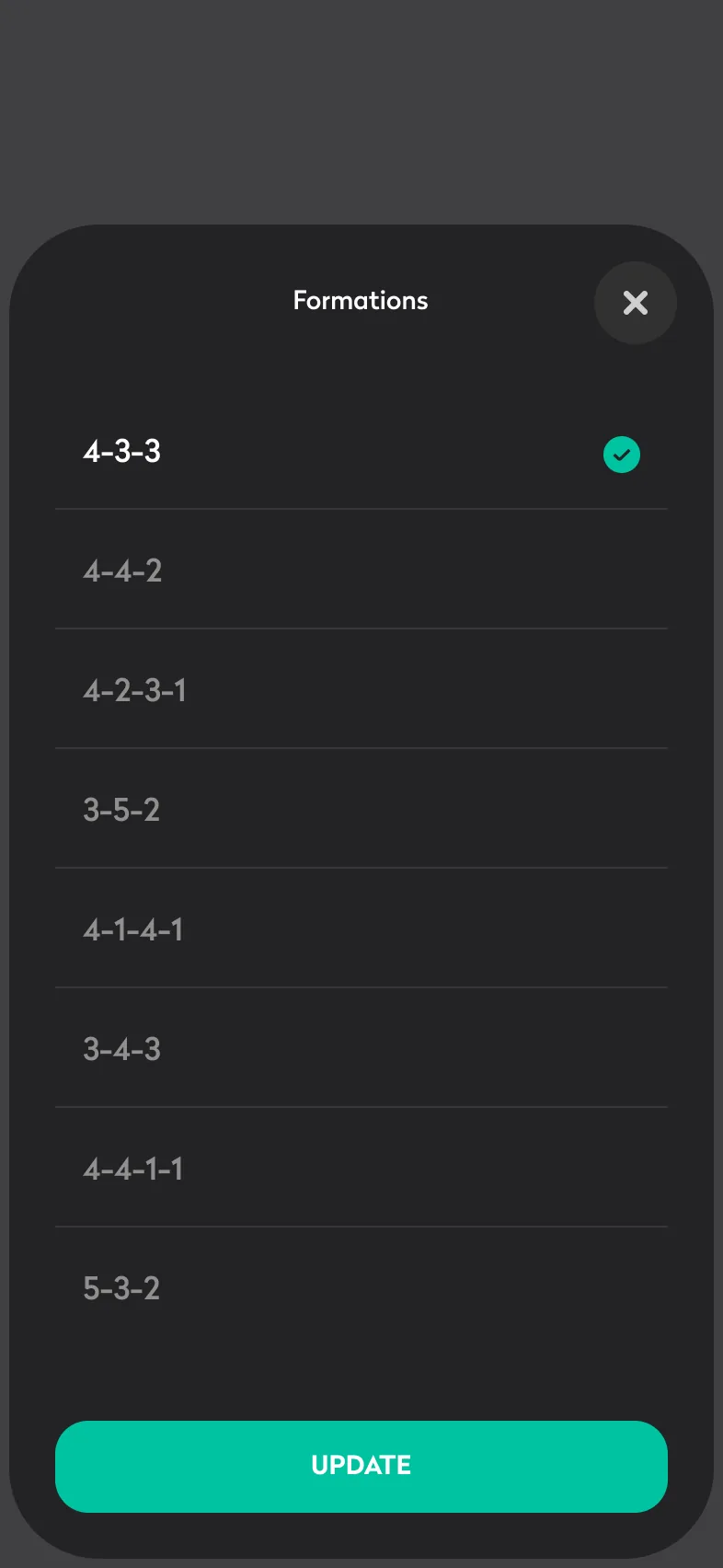
44 formations
From 5v5 to 11v11, one tap to switch.
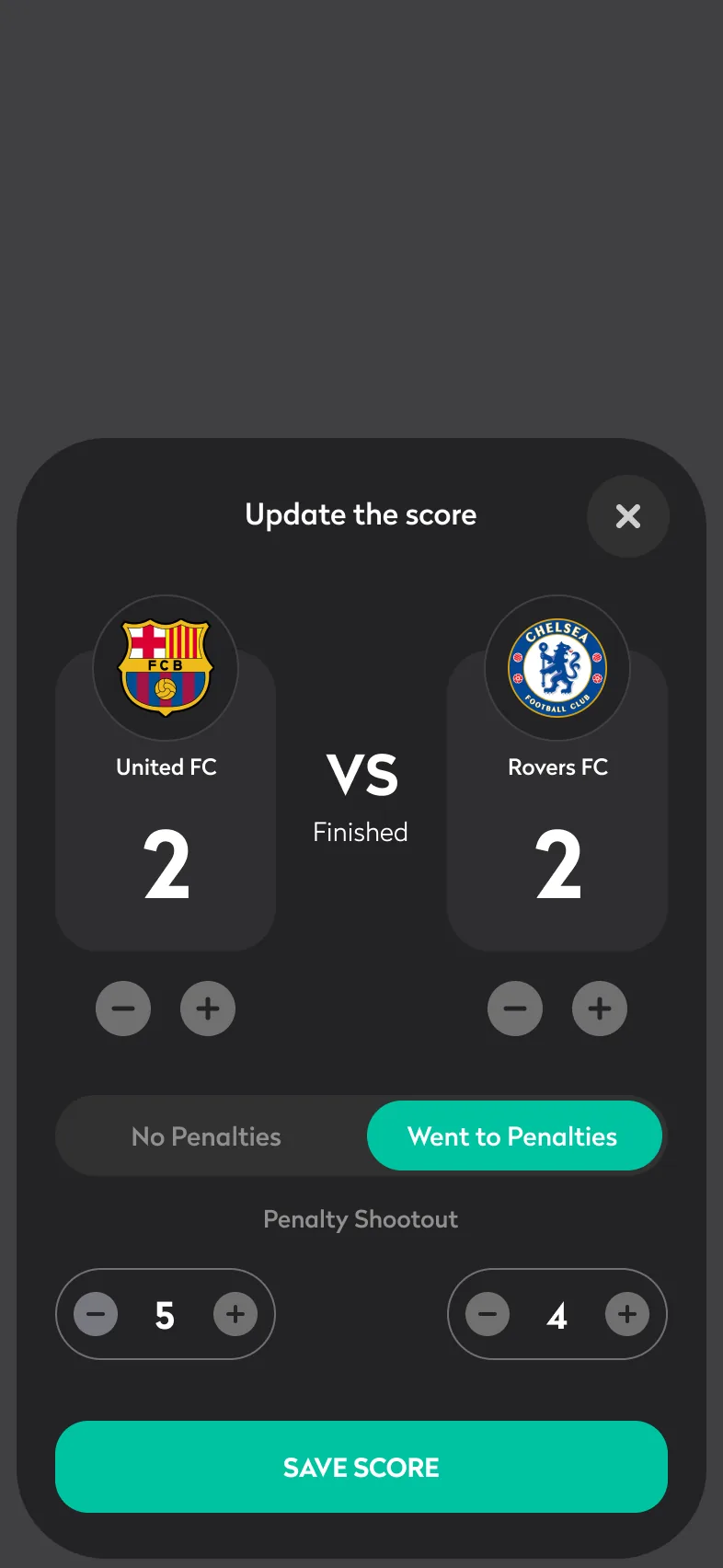
Record the score
Including penalty shootouts.
Final whistle
The result is saved and players can see it.
Teams with real roles.
Feature · Teams
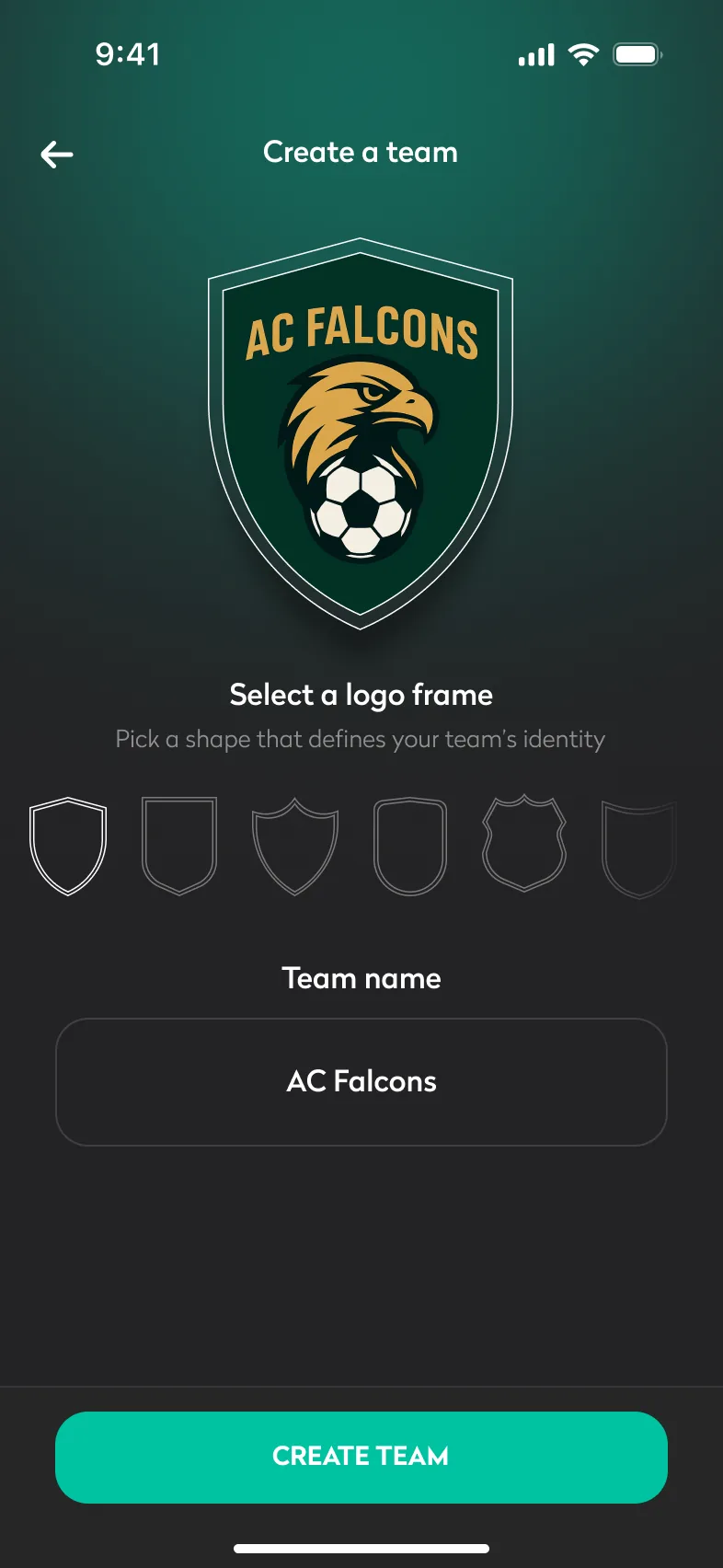
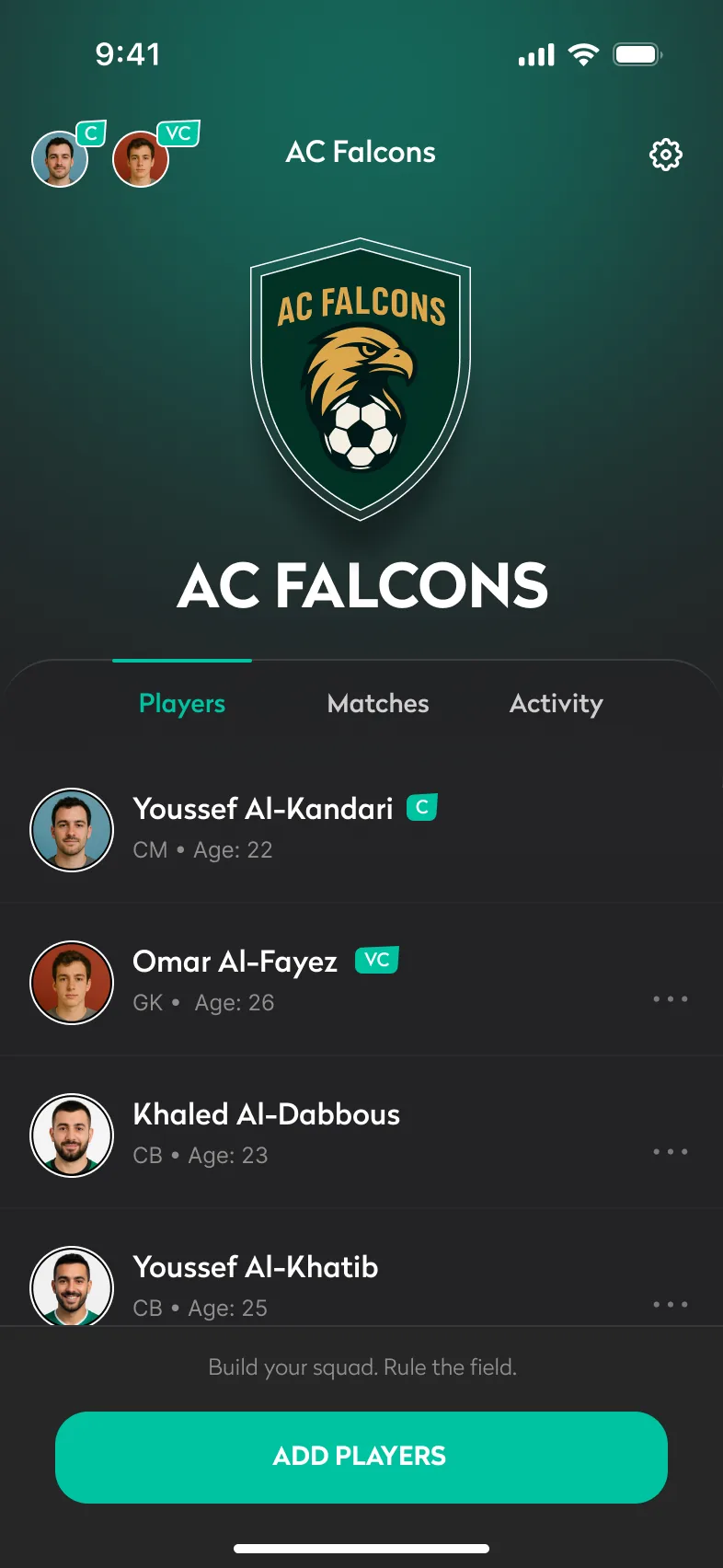
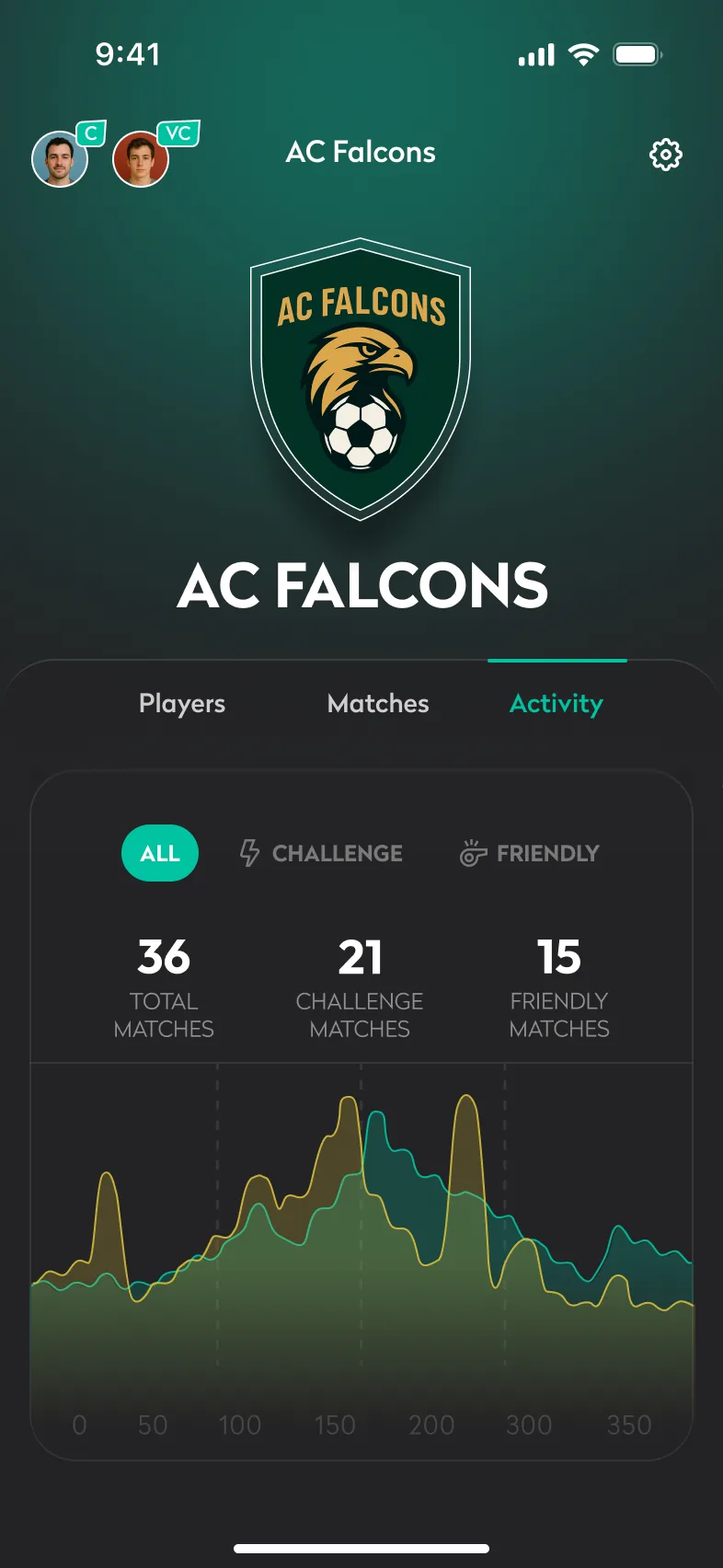
A team is more than a group: it has a crest, a captain, a vice-captain and a record that anyone can see.
- Ten shield frames and a logo give every team an identity
- Captain is assigned automatically; the vice-captain is chosen from the squad
- Captaincy can be handed over; players can be suspended or removed
- Activity shows totals for challenge and friendly matches over time
Create a team
Team profile
Activity
The social layer.
Feature · Social
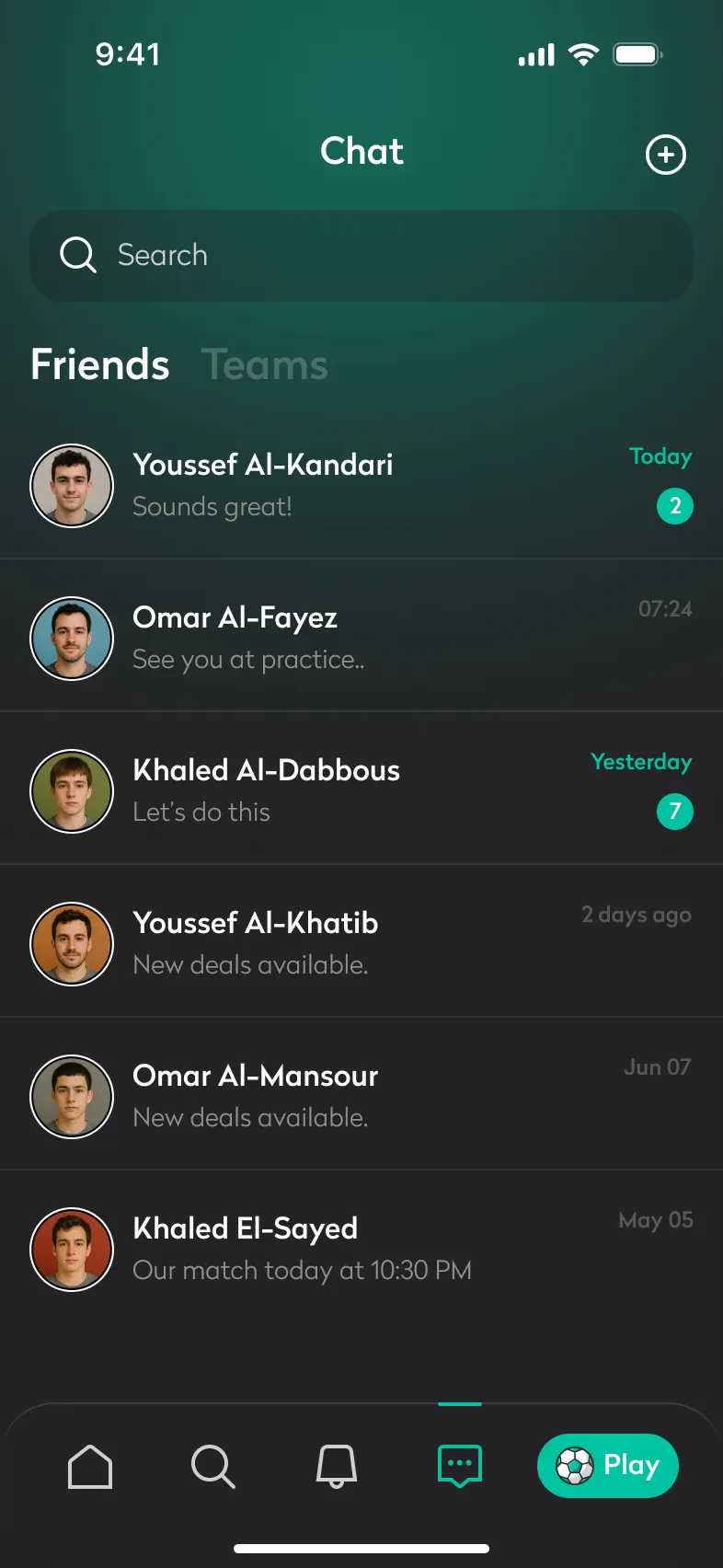
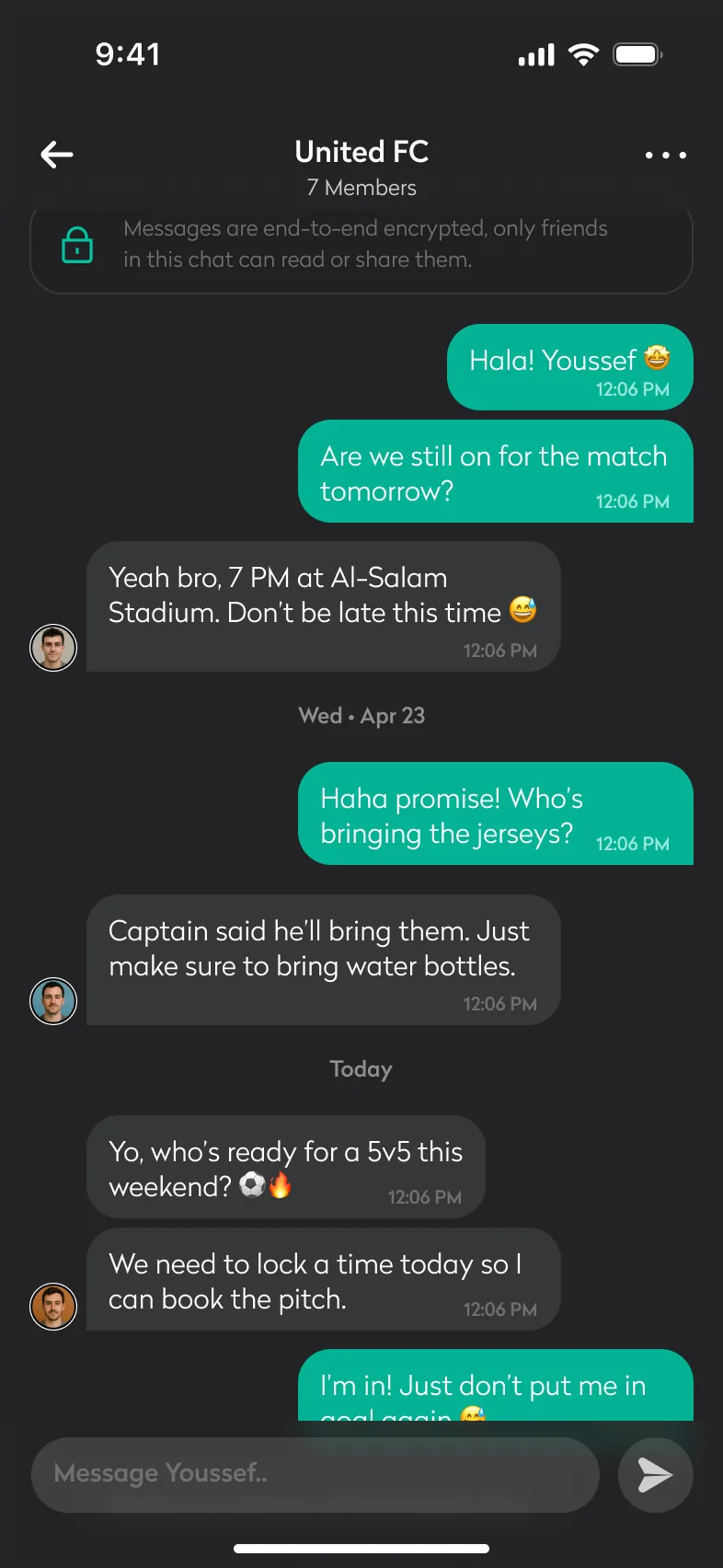
Conversations and requests stay next to the football they’re about.
Chat
Friends and teams, end-to-end encrypted.
Team chat
Avatars only next to the last message in a run.
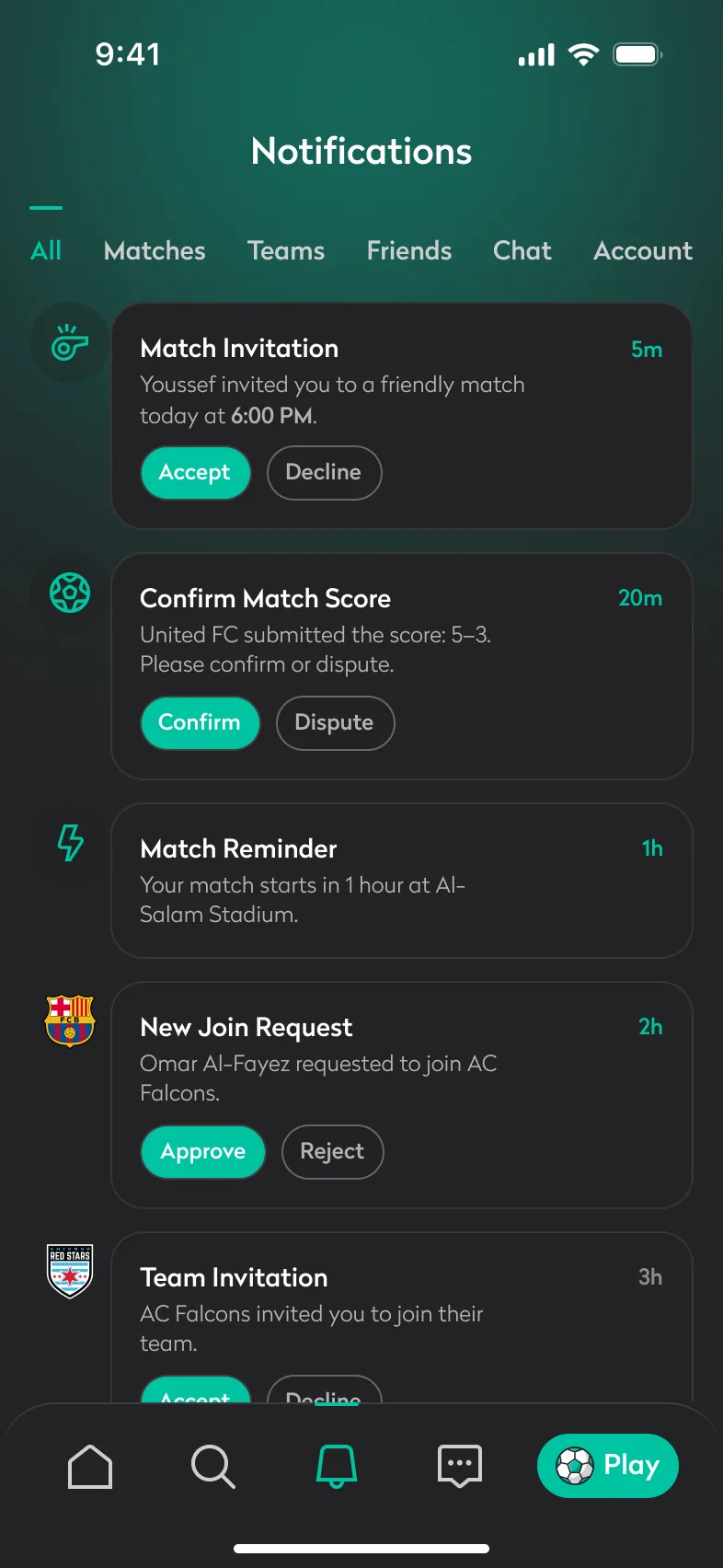
Notifications
Accept, confirm or approve without leaving the list.
Player card
Another player’s card, with Connect.
Walk the flows, screen by screen.
User flows
Five complete flows, each from its starting screen to its outcome. Tap a step, use the arrows or your keyboard, or swipe on a phone.
Sign up & set up
Go from download to a Home screen that already knows how they play.
A verified account, a skill level, first connections and a personalised Home.
Welcome
One decision: sign up or sign in.
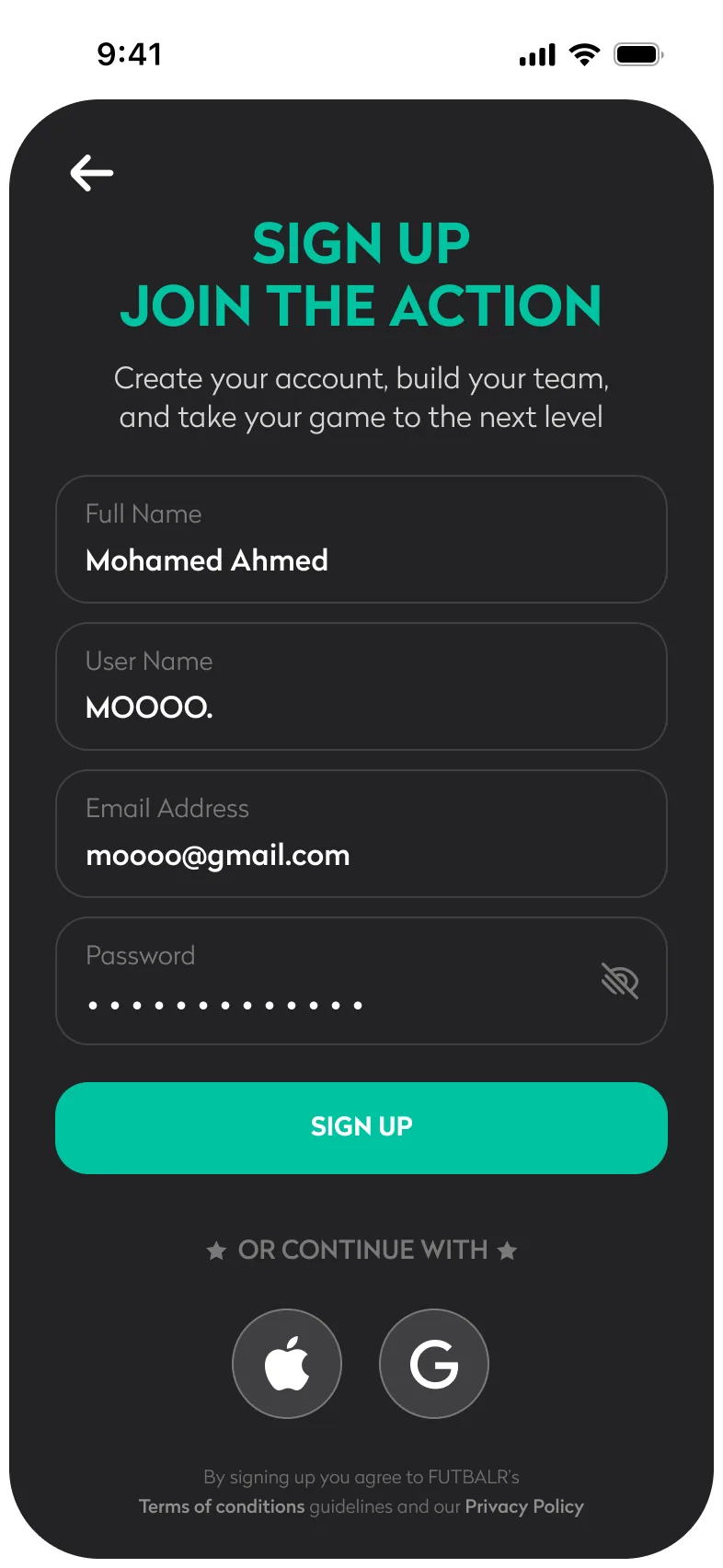
Create account
Name, user name, email and password, or Apple / Google.
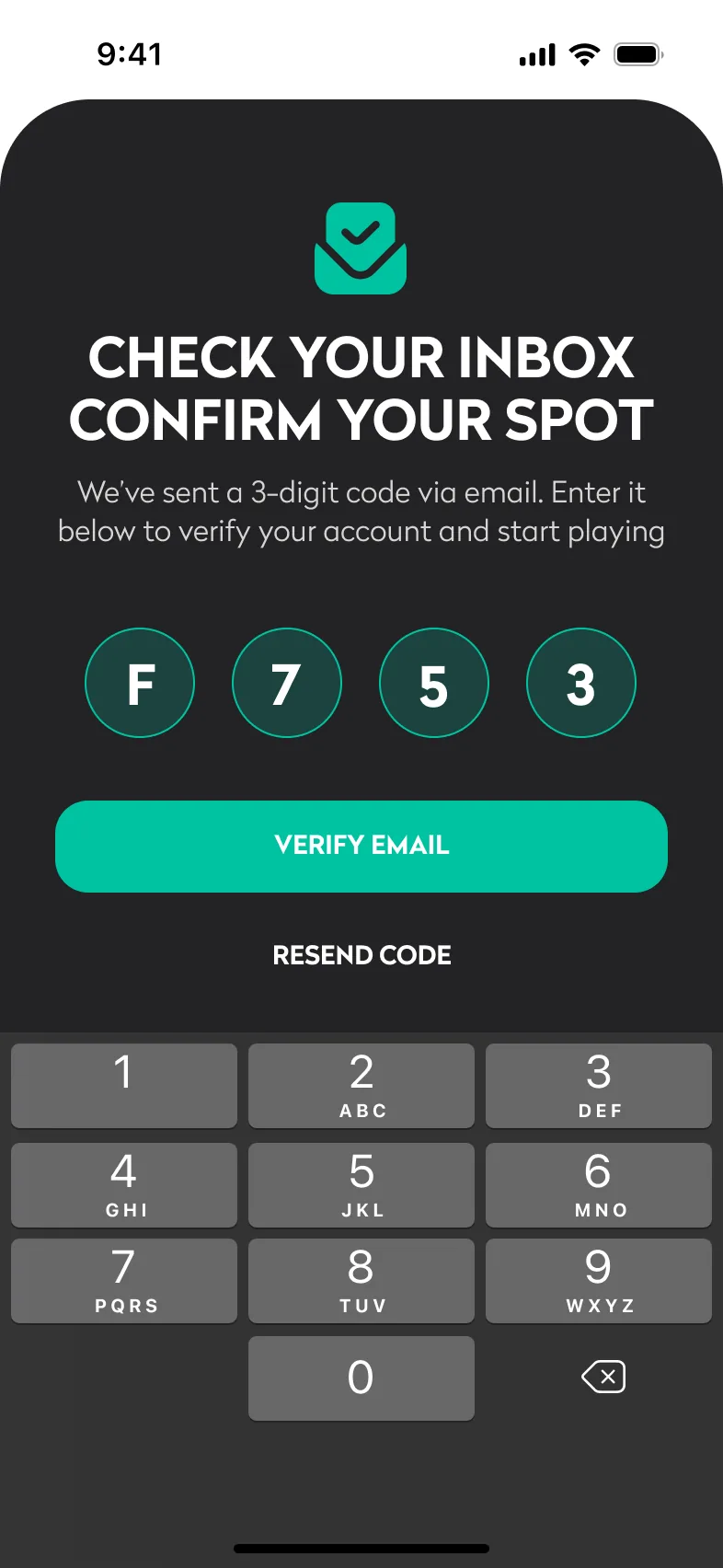
Verify email
A four-character code with an on-screen keypad; wrong codes turn red.
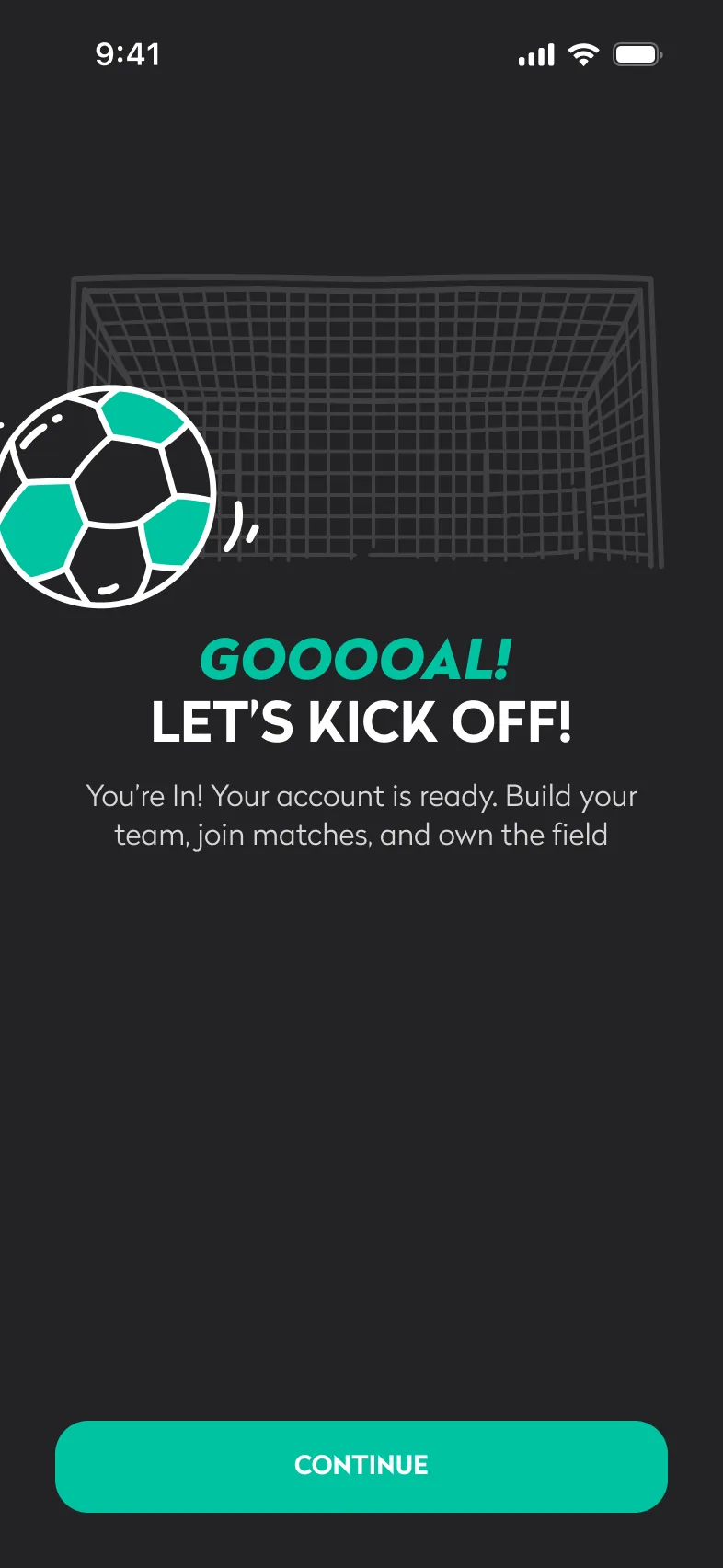
Account ready
“Goooal! Let’s kick off”, a confirmation in the product’s own voice.
Notifications
Asked for with a reason, with a guilt-free Skip for now.
Location
Explained as “Play nearby, win everywhere”: the benefit, not the permission.
Player story
Gender, age, country and playing history as one sentence.
Skill survey
Ten single-choice questions with progress shown as “Question 1 of 10”.
Skill level
The result: a level, Football DNA tags and the next two steps.
Connect
Players of a similar age and level, with Connected and Pending states.
Home
The player lands on a Home that already has something to do.
Create a match
Set up a challenge against another team, from match type to invitations.
A scheduled match with venue, format and a per-player cost, and invitations sent to the squad.
Type & visibility
Friendly or Challenge, Public or Private: asked first, because it decides the rest of the flow.
Choose teams
Your team against an opponent, shown as two slots.
Find an opponent
Teams listed with area and distance.
Select
The chosen team flips to Selected before confirming.
Teams confirmed
Both crests in place: the match has two sides.
Format & venue
Every format from 5v5 to 11v11, the stadium, a maps link and the pitch type. A scrolling screen, shown full length.
Pick a date
A calendar sheet, then a time wheel.
Schedule & cost
The total pitch fee is split per player automatically.
Review
Every choice on one screen, grouped the way it was entered.
Invites sent
The confirmation says exactly what happened: “Match created! Invites sent”.
Join a match
Find a public match with space and get a place in it.
A request with the captain, and a clear confirmation of what happens next.
Discover
Public matches with seats left, venue, format and price.
Filter
Narrow by date, match type, ground, location, spots and level.
Match details
Lineups, venue and kick-off, and Join the match.
Choose a side
Pick the team to play for, with seats left on each.
Request sent
The captain is notified; the player knows it needs approval.
Match day
Get the squad confirmed, set the lineup and put the result on record.
A finished match with a saved score that players can see, and that feeds their stats.
Match details
Members confirm with one tap; seats left update live.
Lineup
The squad on a pitch, substitutes below.
Formation
Switch formation from a sheet; the pitch rearranges.
After the match
No result yet, captains see Update the score.
Enter the score
Steppers for each side, with No penalties / Went to penalties.
Penalties
A shootout adds its own score row.
Final whistle
“Match updated”: players can now see the result.
On record
The final score with (P) for penalties, and Edit the score.
Build a team
Start a team and give it structure.
A team with a crest, players, a captain and a vice-captain, ready to play.
Create a team
Start with a shield frame: ten shapes to choose from.
Add a logo
Upload with tips for a logo that works small.
Name it
Frame, logo and name: the team’s identity.
Empty squad
“Your squad is empty”, with Add players as the only action.
Invite players
Search and send invites; each row shows its state.
The team
Players with C and VC badges.
Vice-captain
Assign one player to share the management tools.
Confirmed
A confirmation that also offers to undo.
The calls that shaped it.
Design decisions
Small decisions, made consistently, are what make a complex product feel simple. Each one is shown on the screen it shaped.
Ask the match type first
A friendly is one team split in two; a challenge is two teams. Asking for teams first would mean undoing choices later.
Match creation opens with Friendly or Challenge, Public or Private.
Every later step only asks what’s relevant to that branch, and captains of a single team skip the team picker entirely.
Actions follow roles
If anyone could create matches or change scores, fixtures would multiply and results would mean nothing.
Creating matches and recording scores belong to captains and vice-captains. Members see the same screens without those controls.
The record stays trustworthy without moderation, and nobody meets a button they can’t use.
Remember the last team
Many players belong to several teams but care about one at a time; asking which team on every visit adds a step.
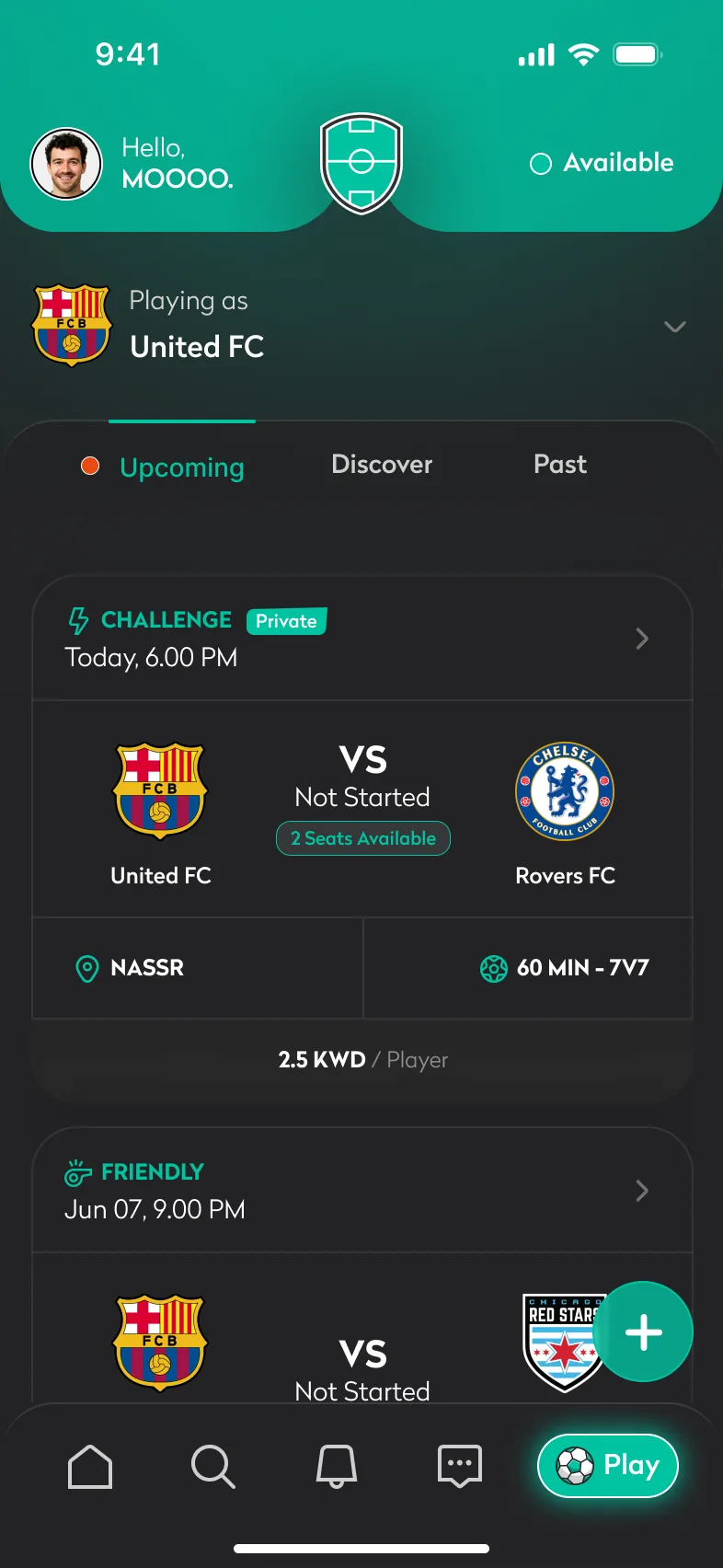
Play opens on the last active team and shows its matches immediately, with a visible “Playing as” switch. With one team, the switch disappears.
The common case is instant; switching is still one tap.
A profile as a sentence
Gender, age, country and playing history are needed for fair matching, but five dropdowns feel like admin.
The basics are collected as a fill-in-the-blank sentence about the player.
The data reads as personal, its purpose is obvious, and it takes one screen.
Nudge, don’t block
Position, height and preferred foot matter for lineups, but forcing them at sign-up would stop people before they play.
Missing fields show as “Unknown” and link straight to the right setting, with a red indicator on Home and the avatar.
The app asks for the data at the moment it’s useful, not before.
Scores both sides agree on
A result entered by one side alone can be disputed forever.
The captain records the score; the other side gets it as a notification with Confirm and Dispute.
Stats are built only on results both teams accept.
Empty states that point forward
On day one, a new player sees no matches, no teams and no activity: the weakest possible first impression.
Every empty state names its next action: Join a match, Explore teams, Create team, Add players.
Dead ends become starting points.
Each problem, answered on screen.
Solution validation
The three jobs the group chat kept dropping, traced through the finished flows.
Organising → Create a match
Match type, teams, format, venue, cost and invitations come together in one 10-step flow that ends with the squad invited. The lineup is then set on a pitch, with 44 formations to choose from.
Finding a game → Join a match
A player with no team goes from Discover to a request with the captain in 5 steps, seeing seats left, venue, level and cost per player before asking.
Keeping score → Match day
Squad confirmed, lineup set and score saved in 8 steps. The other side confirms or disputes, so only agreed results reach player stats.
Three roles, one product
Play & Discover is designed side by side for captains, members and players without a team: the same screens, with controls that match each role.
Every screen, by area.
The complete product
117 of the 292 final screens: every flow, role and important state. Select any screen to see it larger.
Welcome & account
Set-up
Home
Play & match day
Create a match
Teams
Search
Chat & notifications
Profile & settings
The kit behind the screens.
Design system
One dark interface, one teal and one typeface, reused across every flow.
A shield drawn as a football pitch, the crest every amateur team wants, above a condensed wordmark between two stars. The file uses a dark wordmark on light backgrounds and a white one on teal and dark.
One dark interface, labelled by how each colour is used.
Primary
Primary buttons, the Play pill, selected states and icons.
Highlight
Position badges on the lineup pitch.
Background
The app background and illustration line work.
Surface
Cards and icon backgrounds.
Secondary
Secondary and disabled buttons; the shield outline.
Secondary text
Positions, stat labels and other metadata.
Inactive
Inactive tab icons and labels.
Indicator
Unread and missing-data dots.
Error
Validation errors and destructive actions.
Pitch lines
Markings on the lineup pitch.
Text
Primary text on dark surfaces.
Radikal carries the whole interface, from 9 pt labels to 30 pt headlines. SF Pro appears only where iOS draws the UI: the status bar and keyboard.
Radikal
Interface typeface
SF Pro
iOS system UI
Display
Headline
Question
Body
Single-weight line icons for navigation; the football marks Play.
Repeated patterns, built as templates (notification cards and lineup boards for every format), so new screens stay consistent.
Match card
Type, privacy, kick-off, both teams, seats left, venue, format and level.
Buttons
Primary teal pill and text-only secondary, both in uppercase Radikal Bold.
Text fields
Label above the value inside a rounded field.
Filter chips
Single-choice chips, grouped by question.
Player rows
Avatar, name, position, teams and a connection state.
Notification · action
Template for notifications that need a decision.
Notification · info
Template for notifications that only inform.
Choice sheet
One structure for every pick-one sheet.
Score sheet
Steppers per team and a penalties switch.
Confirmation
Icon, uppercase headline, primary action and a way back.
Tab bar
Four icons and the Play pill.


The scope of the work.
By the numbers
Product flows, from splash to notifications
Final screens, including every state
Formations across 7 match sizes, 5v5 to 11v11
Roles with their own permissions and views
How it came together.
Process
Frame the roles
Started from who does what on match day (member, captain, vice-captain, player without a team) and what each is allowed to see and change.
Map the flows
Broke the product into fifteen flows, from splash to notifications, and laid each one out step by step.
Design every state
Designed screens in their empty, partial, filled, keyboard and error states, with notes for edge cases beside the frames.
Systemise
Turned repeated patterns into templates (notification cards, lineup boards for every format, team logo frames), so new screens stay consistent.
Iterate
Revised flows as the logic sharpened: a second version of team activity, refined notification cards and a stepped match-creation flow.
Prepare for launch
Produced the app icon set for iOS and Android, plus a separate staging icon for test builds.
Less admin, more football.
Results & impact
What the finished design changes for the people who make amateur football happen.
Organising leaves the chat
Who is in, who pays and who plays where now live on the match itself: kick-off, venue, cost and both lineups on one screen, instead of a thread that scrolls away.
A way in for players without a team
Discover, team profiles and join requests open every public match and team to newcomers, with “Want to join this team?” on each team page.
A record both sides trust
A score counts only when both teams accept it, so every player’s stats are built on agreed results.
Consistent at scale
292 screens across 15 flows share one dark interface, one teal and reusable templates for notifications, lineups and team crests.
How success shows up
Matches filled from Discover, invitations confirmed in the app rather than the chat, and very few disputed scores.
What the final whistle taught.
Closing reflection
Futbalr turns the admin around amateur football (who’s in, who plays where, what the score was) into a few taps, so captains organise faster and players without a team finally have a way in. It works because it respects how the game already happens: it doesn’t replace the group chat’s energy, it removes the admin around it.
- Designing for three roles from the first screen kept permissions simple instead of bolted on.
- Treating empty states as onboarding made the first day as considered as the hundredth.
- Templates for notifications and lineups let the product grow without the interface drifting.
- 292 final screens across 15 flows, including empty, partial, error and keyboard states.
- Role-based behaviour for captains, vice-captains, members and players without a team.
- 44 formations from 5v5 to 11v11, notification templates and ten team-crest frames.
- App icons for iOS and Android, plus a staging icon for test builds.